MedstrataHelp Back to the app →
Help and guides

Get the most from Medstrata

Short walkthroughs of every part of the app, on real pages. Each one plays through by itself: pick a numbered step to stop on it, or use the arrows.

Getting started

Finding your way round

Medstrata's front page says what changed in the latest published data across England. The sidebar takes you to every part of the app. Open it →
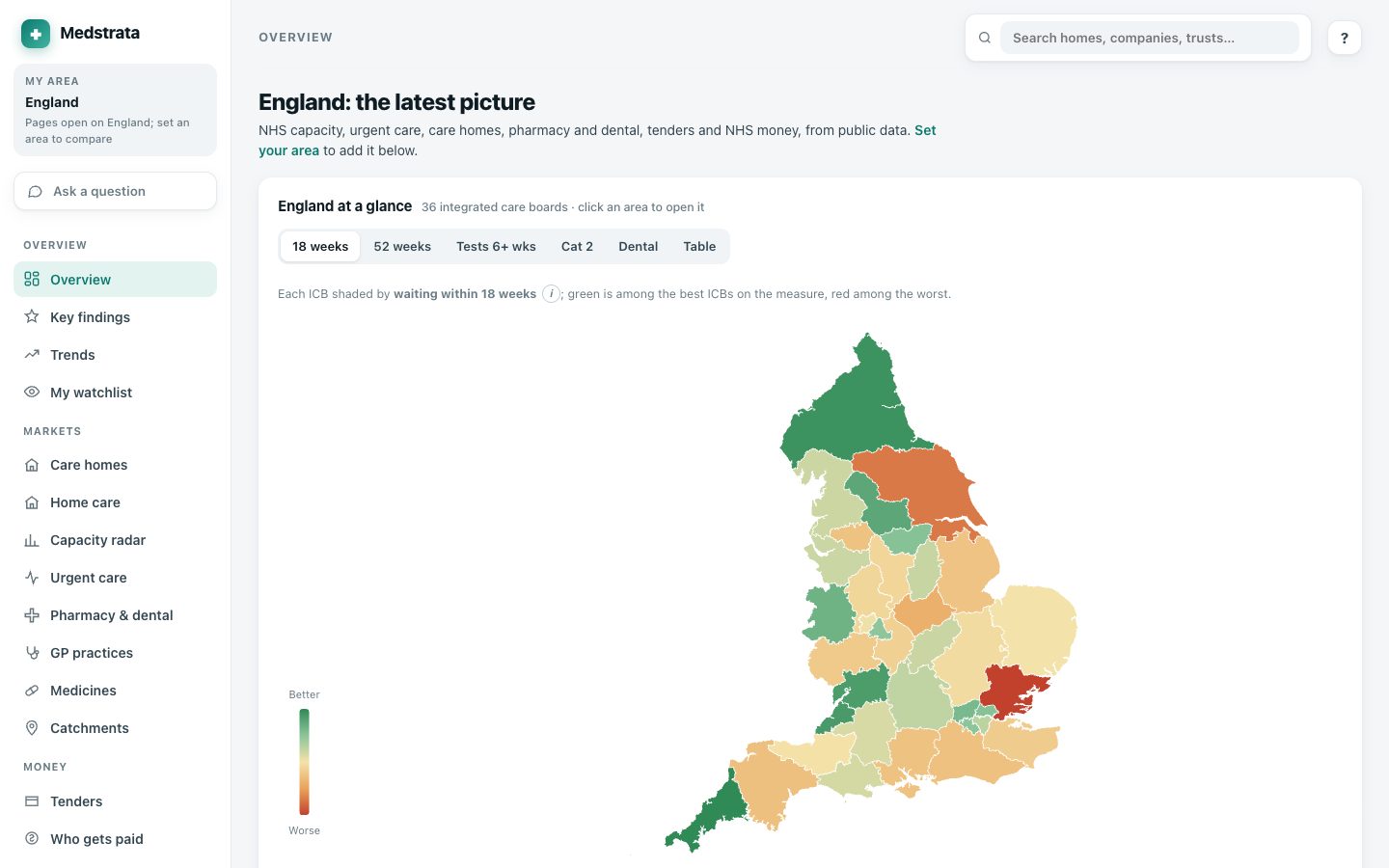
Finding your way round: the page as it looks in the app
  1. The sidebarEvery part of the app, in four groups: Overview, Markets, Money and Reference. The page you are on is highlighted.
  2. My areaPages open on England. Set a council, ICB or trust here and pages offer to switch to it.
  3. England at a glanceThe headline figures, each with the month it covers and how it compares with the year before.
  4. SearchSearch homes, operators, companies, trusts, ICBs, councils, pharmacies and dental contracts from any page.
The ? on every pageOpens the guide for the page you are on.
Key findingsThe things that changed most in the latest published data, each linking to the page that shows it. NHS bodies publish most figures one to two months in arrears, so each finding shows the month its data covers.
Getting started

Ask a question

Ask about the data in plain words. The assistant reads the app's own pages for you and answers from them, with links to each page it used. Open it →
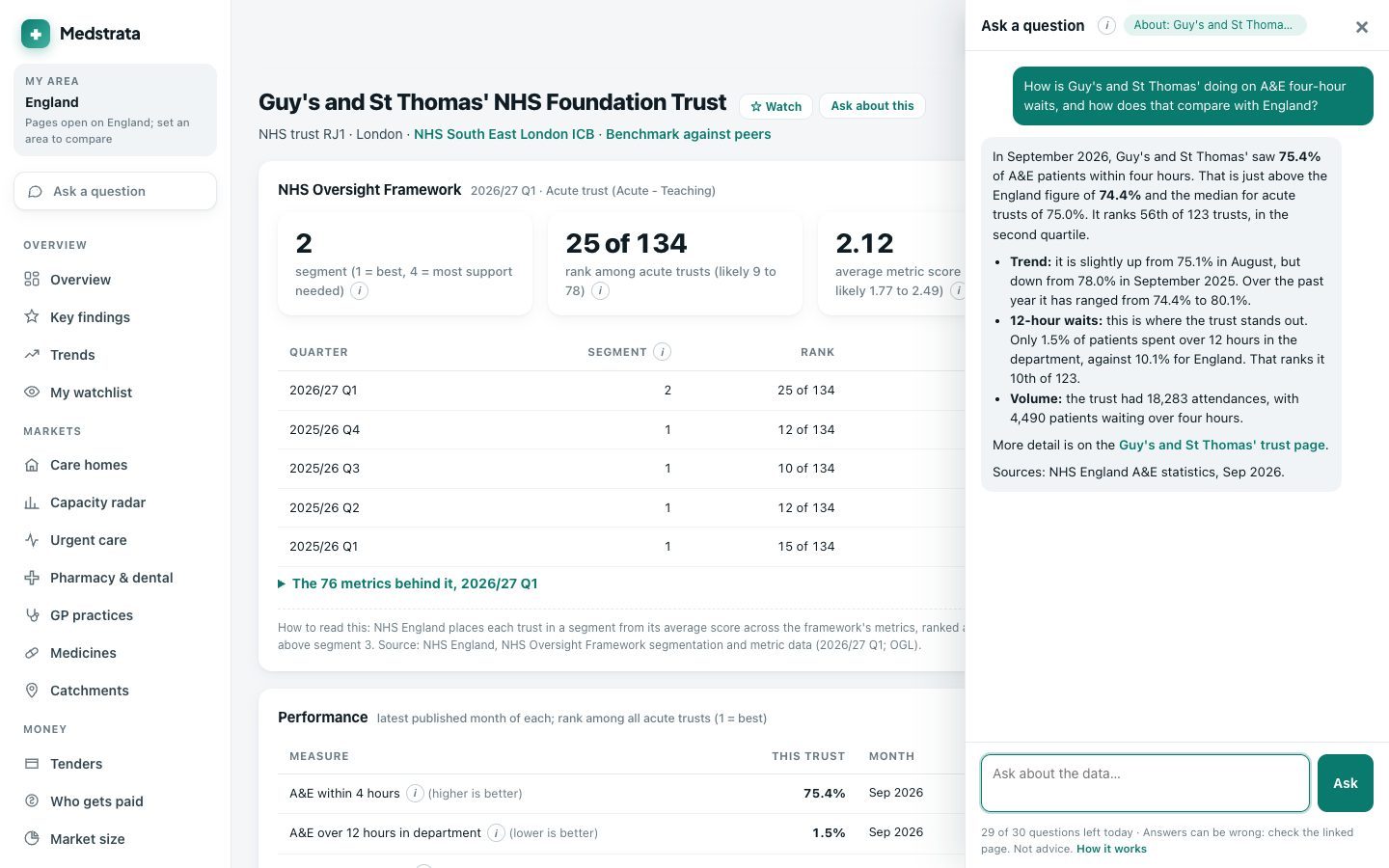
Ask a question: the page as it looks in the app
  1. Ask from anywhereAsk a question, at the top of the sidebar, opens the chat on any page.
  2. Ask about thisOn a care home, operator, group, trust, ICB, council, supplier or account pack page: the question starts from that page.
  3. The answerA short answer with the figures, their period and source, and links to the pages that show them. Follow the links to check.
  4. Keep goingAsk a follow-up: the last few questions and answers go with it. Each person has 30 questions a day.
What it can seeOnly the app's public pages, as you see them: never landlord data, admin pages or anyone's watchlist, saved searches, outbox or tickets.
When it doesn't knowIt says so when the data doesn't cover a question, rather than guessing. It isn't medical, legal or investment advice.
What is keptWho asked, the question and what it cost are logged; answers are not kept beyond their first 2,000 characters.
Getting started

My area

Choose a council, an ICB and a trust. Pages still open on England, then offer to switch to your area. Open it →
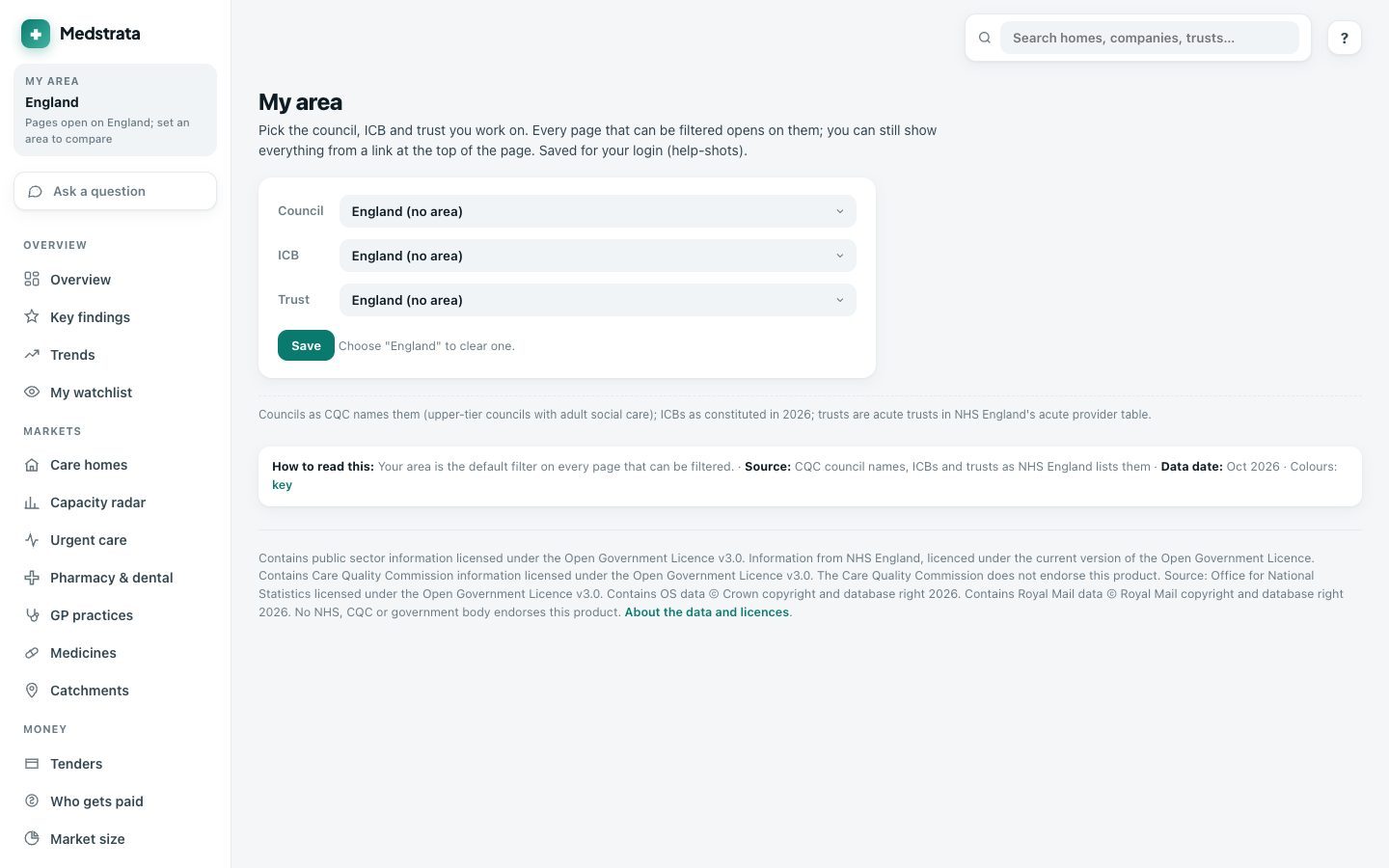
My area: the page as it looks in the app
  1. CouncilSocial care pages (care homes, fees, self-funders) follow the council.
  2. ICBNHS pages (waiting lists, ambulance times, GP practices) follow the ICB.
  3. TrustHospital pages follow the trust.
  4. Save itThe sidebar then shows your area, and each page has a "Switch to my area" chip.
Back to EnglandEvery page that is showing your area has a link back to England at the top.
Getting started

Maps, charts and the ⓘ button

Every figure says what it means, where it comes from and how current it is. Maps and charts are clickable. Open it →
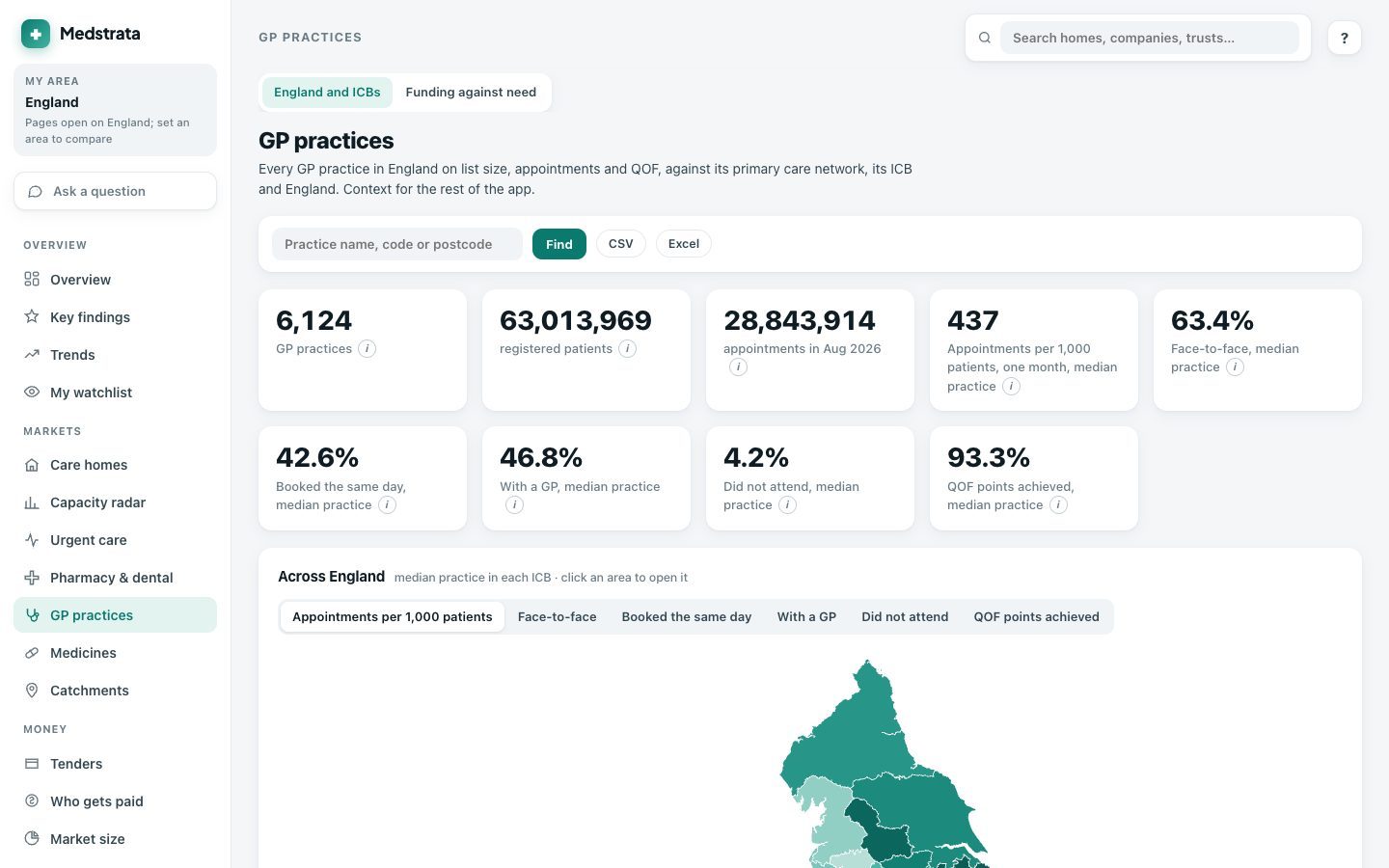
Maps, charts and the ⓘ button: the page as it looks in the app
  1. The ⓘ buttonNext to every measure: what it means, how it is worked out, the source, its date and whether higher is better.
  2. Headline tilesEach tile is one measure for England (or your area).
  3. Choose the measureThe buttons above a map switch the measure it is shaded by.
  4. MapsShaded by the measure. Hover for the figure; click an area to narrow the page to it.
How to read thisThe line at the foot of every page says what it shows, its source and its data date.
The glossaryEvery measure in one list, under Reference in the sidebar.
ColoursGreen is better, red worse, grey neutral: the key is on the Sources page.
Care homes

Care homes and the council watchlist

Every council's care-home market: beds, ratings, closures and risk, with the homes behind each figure. Open it →
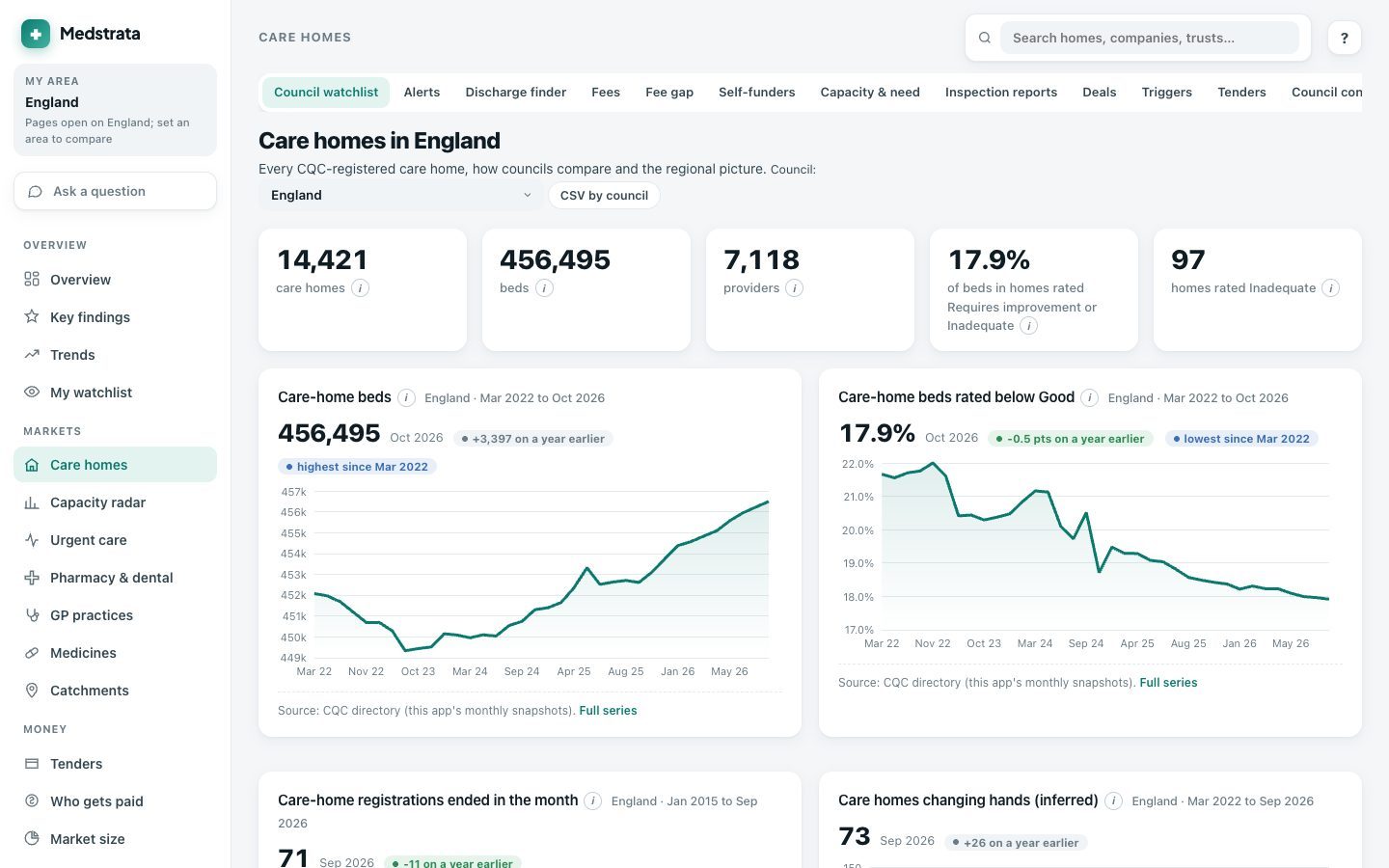
Care homes and the council watchlist: the page as it looks in the app
  1. The care-home pagesCouncil watchlist, alerts, the discharge finder, fees, the fee gap, self-funders, capacity and need, inspection reports and deals.
  2. England in figuresBeds, beds rated below Good and recent closures, against the year before.
  3. Since 2022Beds and the share rated below Good each month, with the change on a year before and the highest and lowest points.
Every councilFurther down: every council's homes, beds and ratings; click one for its homes, operators and risks.
Risk alertsThe Alerts tab lists homes with new warning signs: poor ratings, enforcement, financial trouble at the operator.
Discharge finderHomes near a hospital with the right registration and a good rating, for discharge teams.
Care homes

Operators, groups and companies

Who runs the homes: each operator's latest filed accounts, by region, and the groups behind them. Open it →
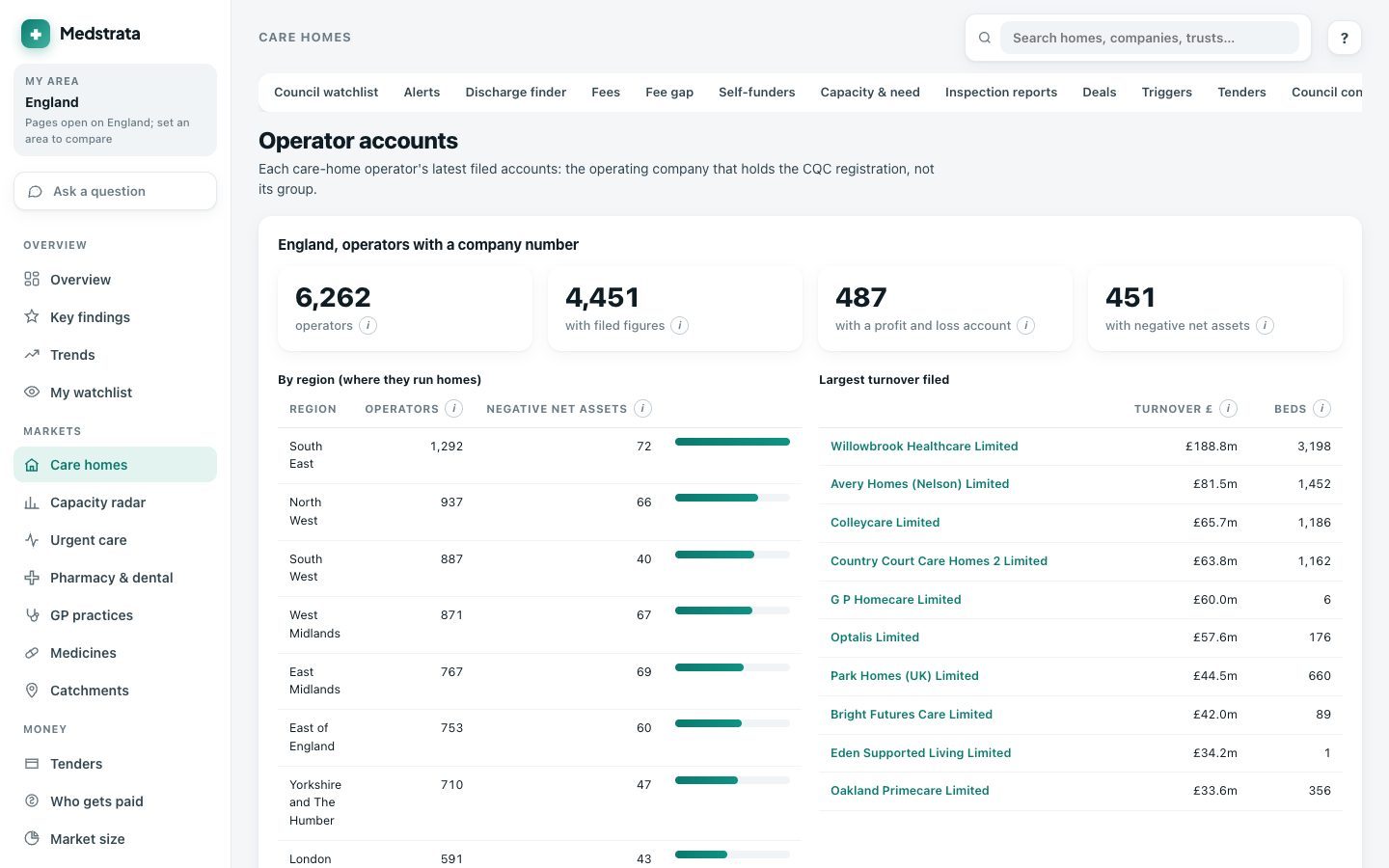
Operators, groups and companies: the page as it looks in the app
  1. EnglandOperators with a Companies House number, how many have filed figures, and how many show a loss or negative net assets.
  2. By regionWhere the operators run homes, and how many have negative net assets.
  3. Largest turnover filedClick an operator for its homes, its group, its filings and any warning signs.
GroupsThe Groups page joins operators owned by the same parent, so a chain counts once.
Company pagesTurnover, profit, cash and charges from Companies House, with the accounts date.
Care homes

A care home and its history

One home: its registration, beds, ratings over time, inspections, owner changes and nearby homes.
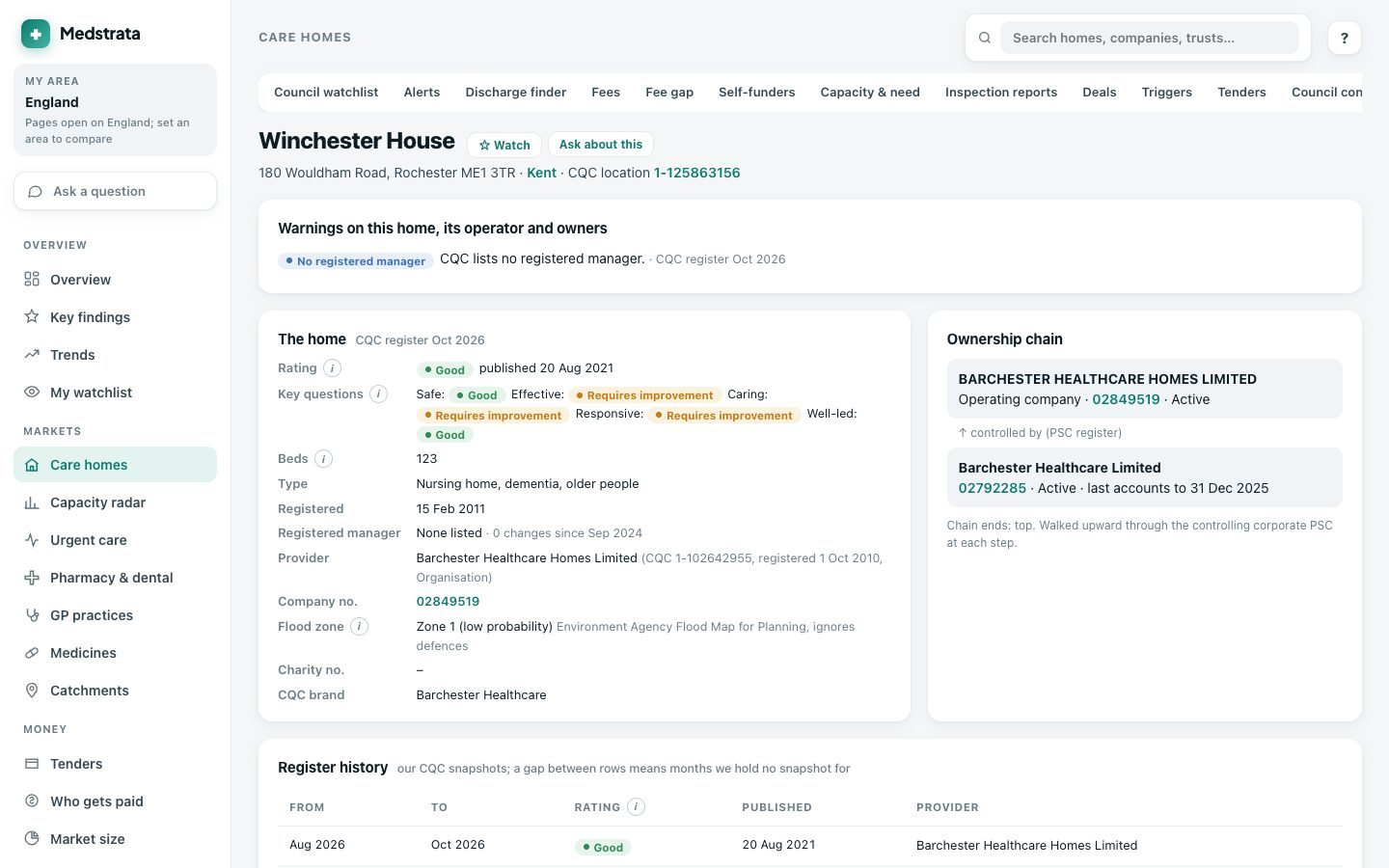
A care home and its history: the page as it looks in the app
  1. Watch itAdd the home to your watchlist and changes show in your weekly digest.
  2. The homeIts CQC rating and key questions, beds, services, registration, manager and provider.
  3. Ownership chainWho controls the operator, up through the corporate owners, from the Companies House register.
  4. Register historyIts rating and provider at each monthly snapshot, so a change of rating or owner shows.
WarningsWhen something is wrong with the home, its operator or its owners, a Warnings box comes first, newest at the top.
Same buildingWhen a home changes provider the new registration replaces the old one; both are linked so its history carries on.
Care homes

Catchments

The care homes or pharmacies within a few miles of a postcode, with their ratings and beds. Open it →
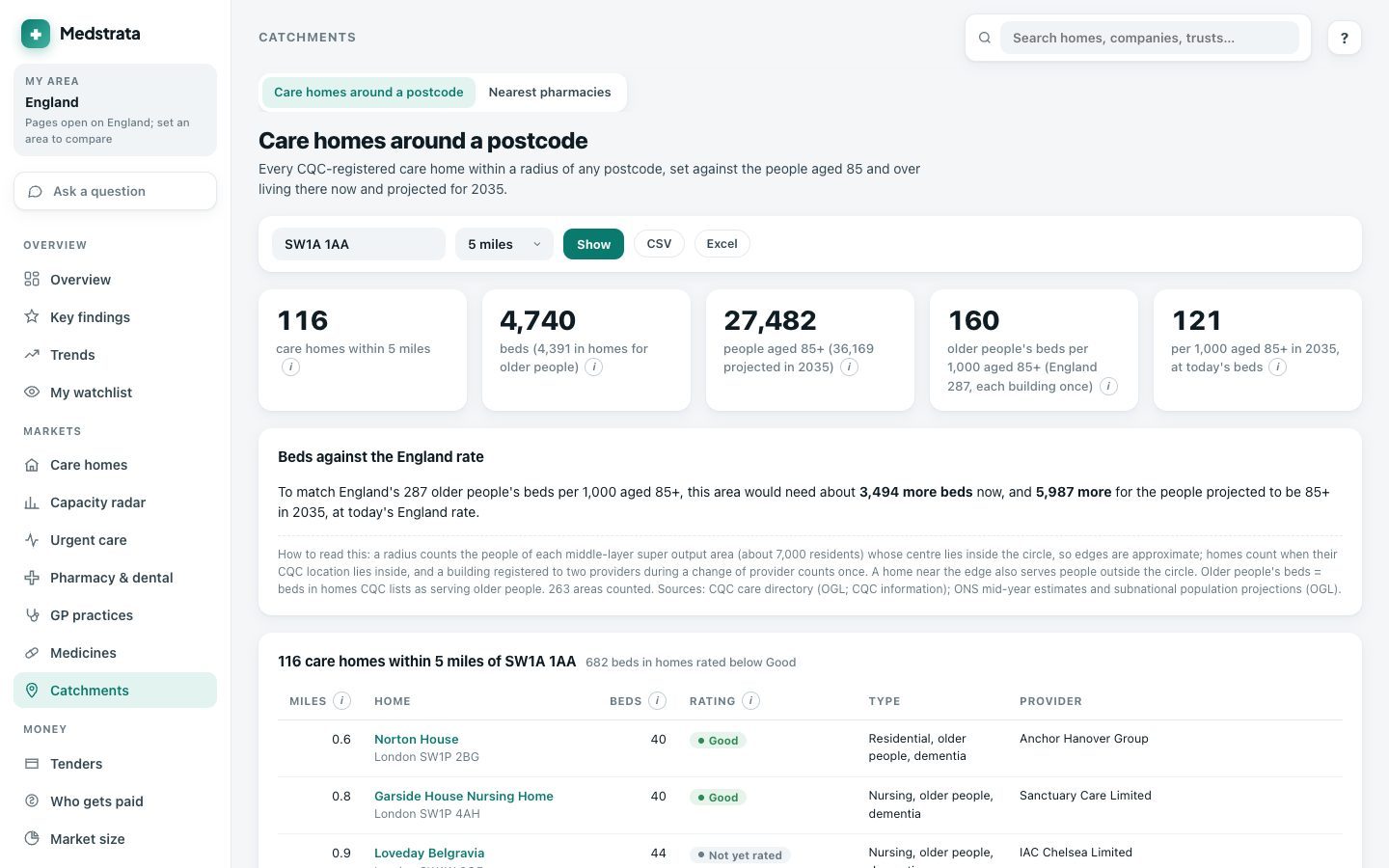
Catchments: the page as it looks in the app
  1. Postcode and distanceType a postcode and choose how far round to look.
  2. What is nearbyBeds, ratings and the share below Good within that distance, against England.
  3. Each homeDistance, rating, beds and operator, nearest first.
PharmaciesThe second tab does the same for community pharmacies.
Care homes

Inspection reports

CQC inspection reports and assessments as they are published, searchable by place, rating and operator. Open it →
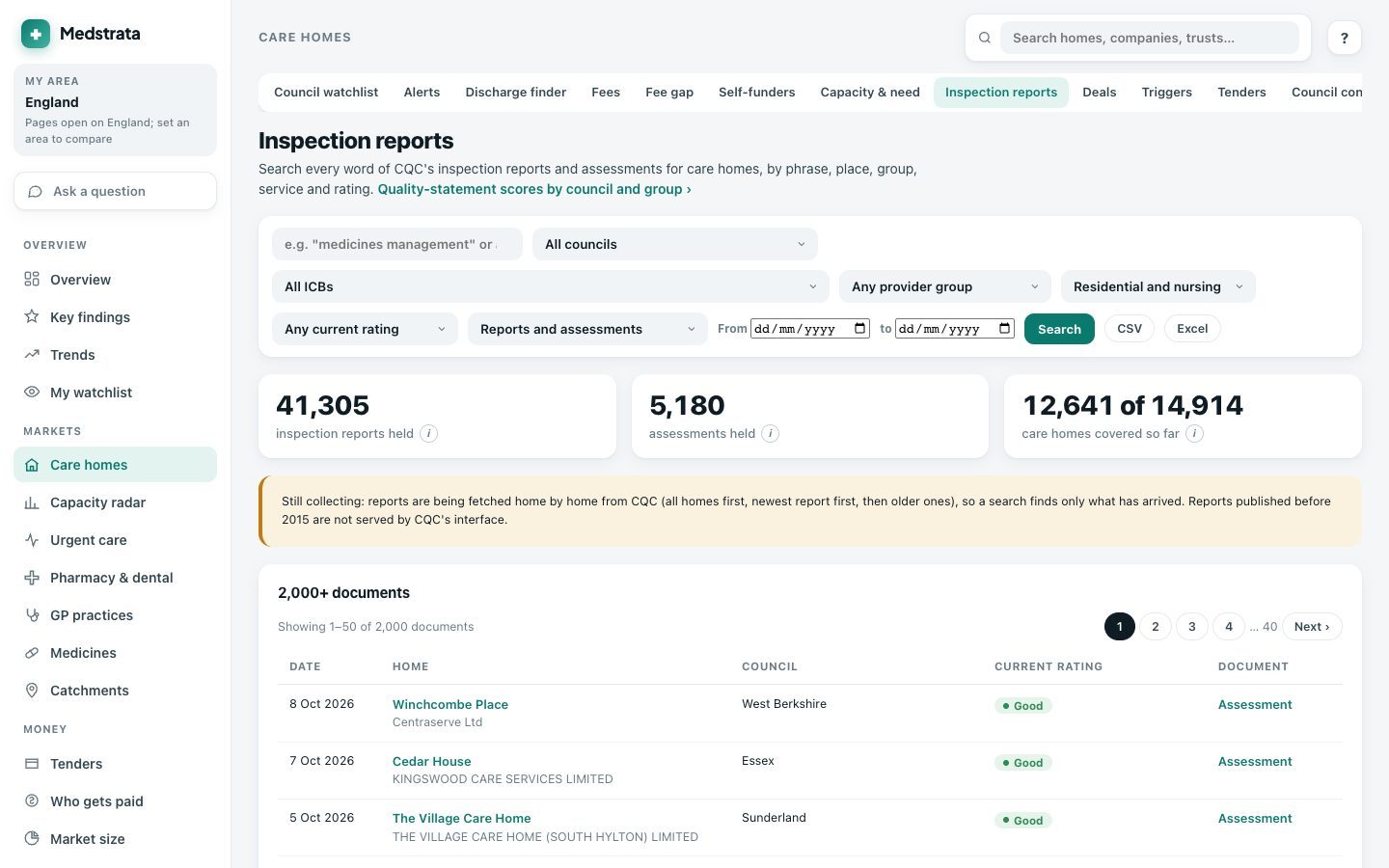
Inspection reports: the page as it looks in the app
  1. FilterBy council, ICB, rating, service type, group and date, or search the words in the reports.
  2. The latest firstEach report with its home, rating and date.
  3. Read oneOpen a report to see its summary and a link to CQC's own page.
Save the searchSave it and new reports that match show in your weekly digest.
Names are redactedPeople named in reports (managers, staff, people quoted) show as [name]. A search for a person's name finds nothing; CQC's own page has the report as published.
Care homes

Councils, fees and self-funders

What councils pay for care, the gap to what care costs, and how many residents pay for themselves. Open it →
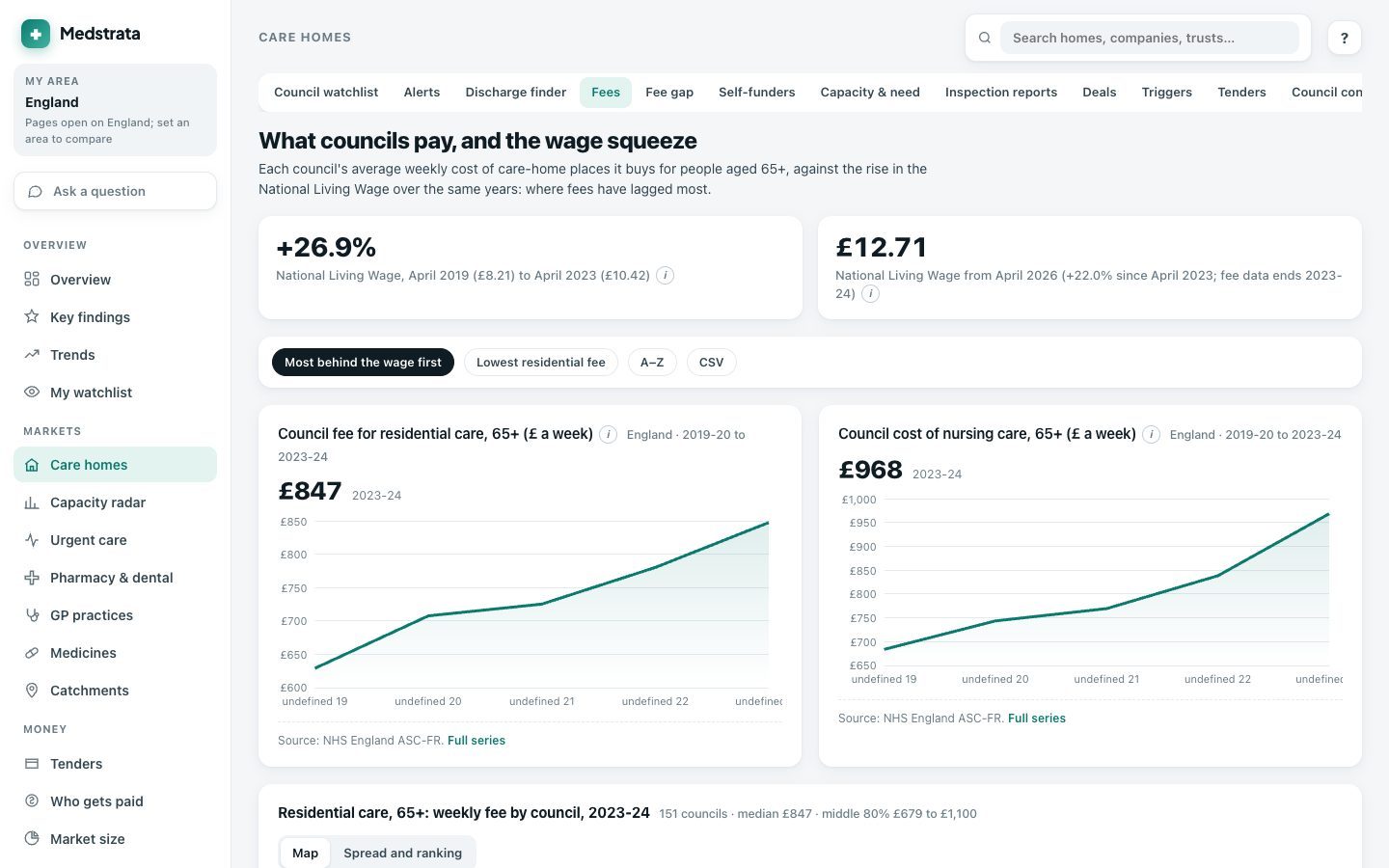
Councils, fees and self-funders: the page as it looks in the app
  1. Fees and the gapFees paid by each council, the fee gap against the cost of care, and self-funders, each on its own tab.
  2. The wage squeezeHow far the National Living Wage has risen against what councils pay.
  3. Fees over timeThe average council fee for residential and nursing care, year by year.
Council profilesEach council's own page brings its homes, fees, self-funders, discharge and tenders together.
Area packA council's figures as one download, from its profile.
Care homes

Home care

Every home care (domiciliary care) service registered with CQC in England: who provides it, how it is rated, who owns the providers, who is entering and leaving each local market, and what councils pay. Open it →
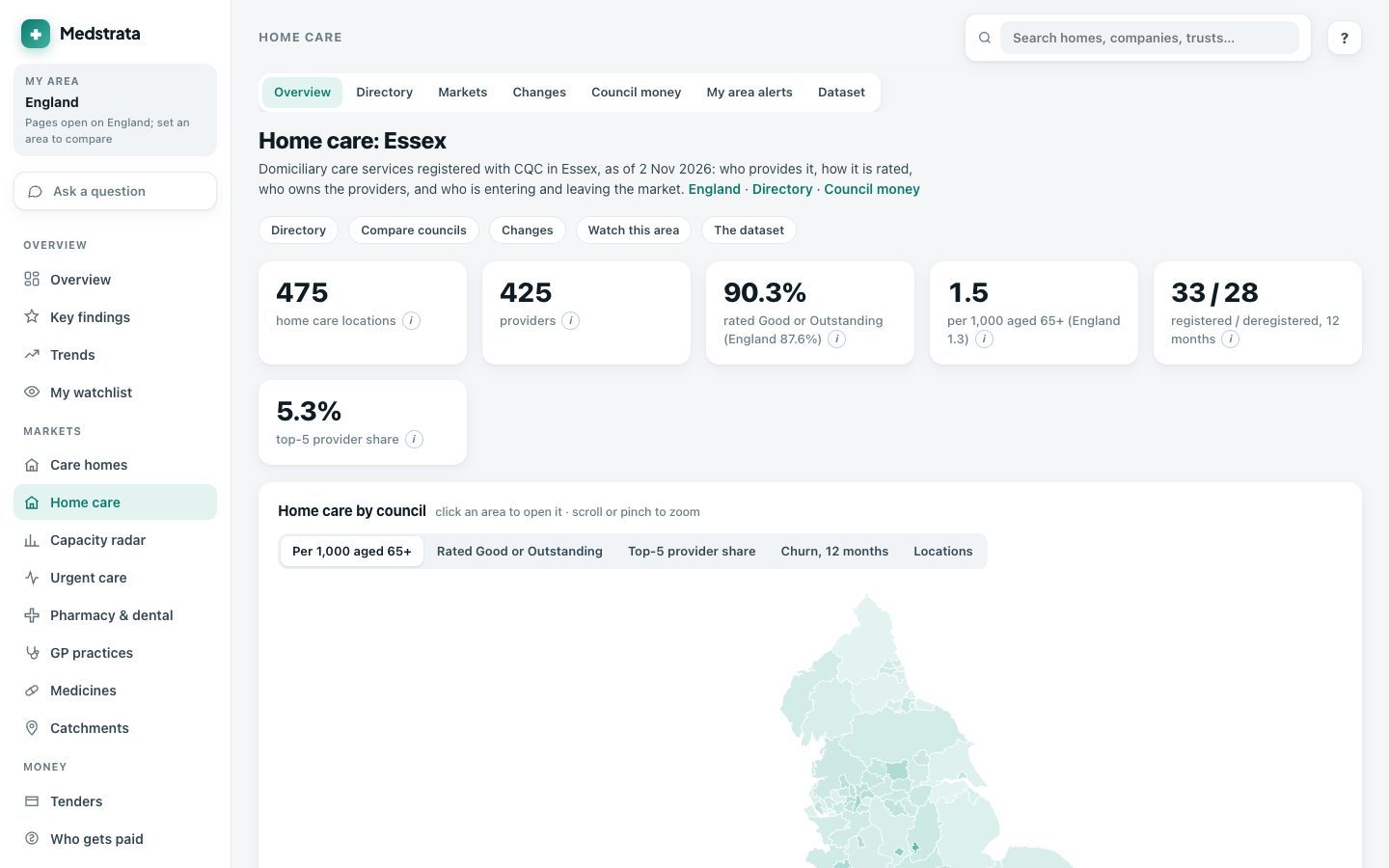
Home care: the page as it looks in the app
  1. The headlineFor England, a council or an ICB: locations, providers, the share rated Good or Outstanding, locations per 1,000 people aged 65+, registrations and deregistrations in 12 months, and the top-5 providers' share.
  2. The mapEvery council or ICB on one measure: per 1,000 aged 65+, Good or Outstanding, top-5 share, churn or the count. Click an area to open it.
  3. Where to nextThe directory of every location with filters, councils or ICBs side by side, the change feed, and watching an area for alerts.
Largest providersFurther down, the providers with the most locations here, where their owners are and their company status. Open one for its Companies House record, the ownership chain with every country in it, council money and framework places.
Ratings and historyEach location shows its overall rating and the five key questions, its rating history from CQC's monthly register since 2022 (and its rating on a past date), and CQC's reports with people's names redacted where they have been collected.
Entry, exit and changes of handsRegistrations and deregistrations come from CQC's dates. A change of hands is a deregistration paired with a new registration at the same place under another provider within 120 days. Rating moves compare one month's register with the next.
Council moneyWhat councils pay home care suppliers under their home-care expense labels, and who holds a place on their frameworks and DPS. A council that books home care under a general heading shows less.
Area alertsMy area alerts: watch a council or ICB for downgrades, deregistrations, changes of hands and new entrants. A weekly digest goes to your outbox; nothing is emailed.
The datasetThe two tables behind these pages, one row per location and per provider, with stable CQC ids, the data date, licence and attribution, as Excel, CSV, JSON or through the API.
No one is namedIndividual providers are shown as "Name withheld", and left out of the dataset. Managers, nominated individuals and people who control a company are never named.
What it cannot showCQC publishes no hours, clients or staff for home care, so size is counted in registered locations; a branch serving 500 people counts the same as one serving 10.
NHS

Capacity radar

Waiting lists by ICB and specialty, who holds the work, and the contracts behind it. Open it →
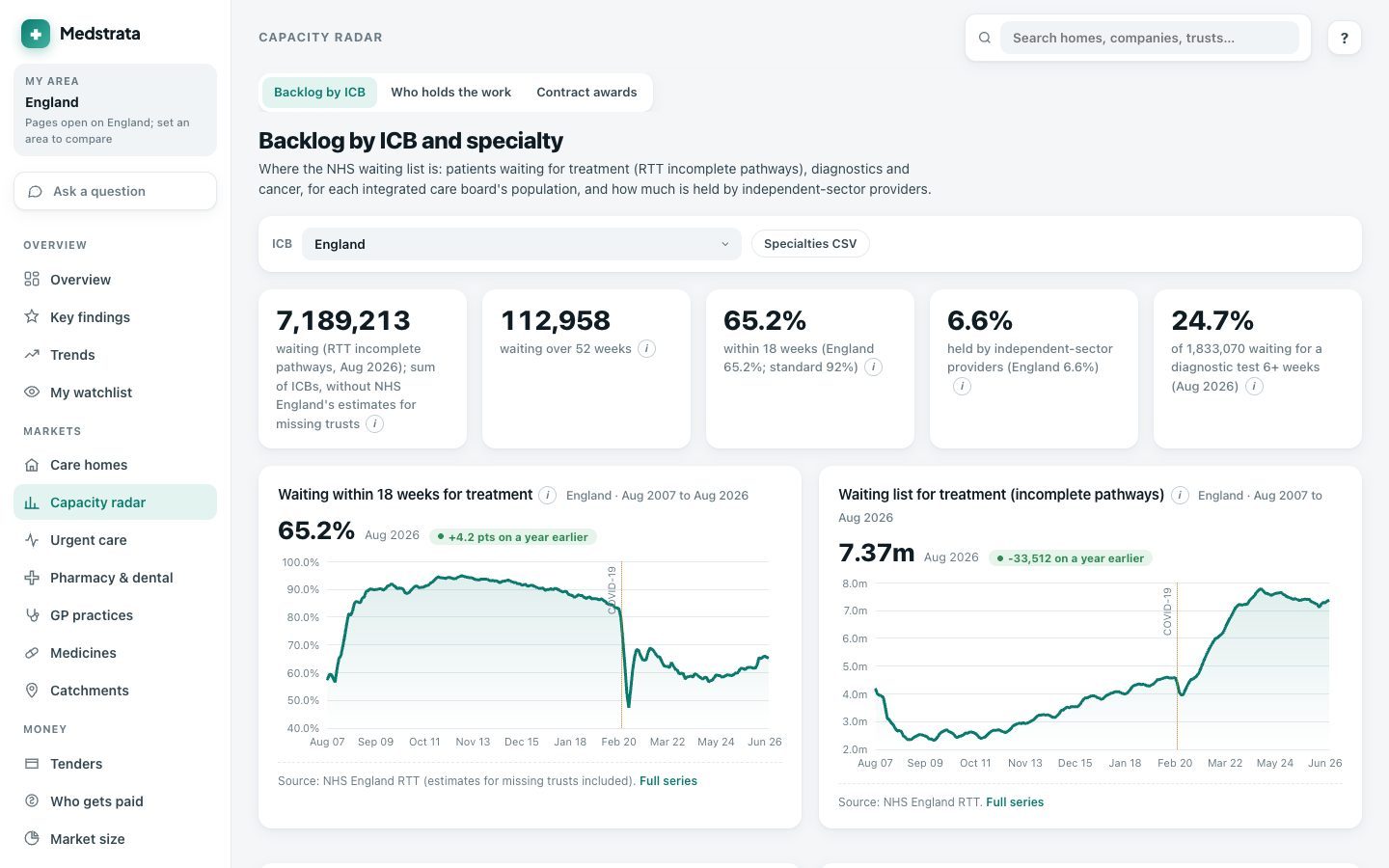
Capacity radar: the page as it looks in the app
  1. Three viewsThe backlog by ICB, who holds the work (NHS and independent providers), and contract awards.
  2. EnglandWaiting within 18 weeks, the list size, diagnostic waits and cancer within 62 days.
  3. Since 2007Each measure's monthly trend, with the change on a year before and the pandemic marked.
Independent sectorWho holds the work shows how much of each ICB's list independent providers treat.
NHS

Urgent care

Ambulance response times, handovers and A&E, by ambulance service, ICB and trust. Open it →
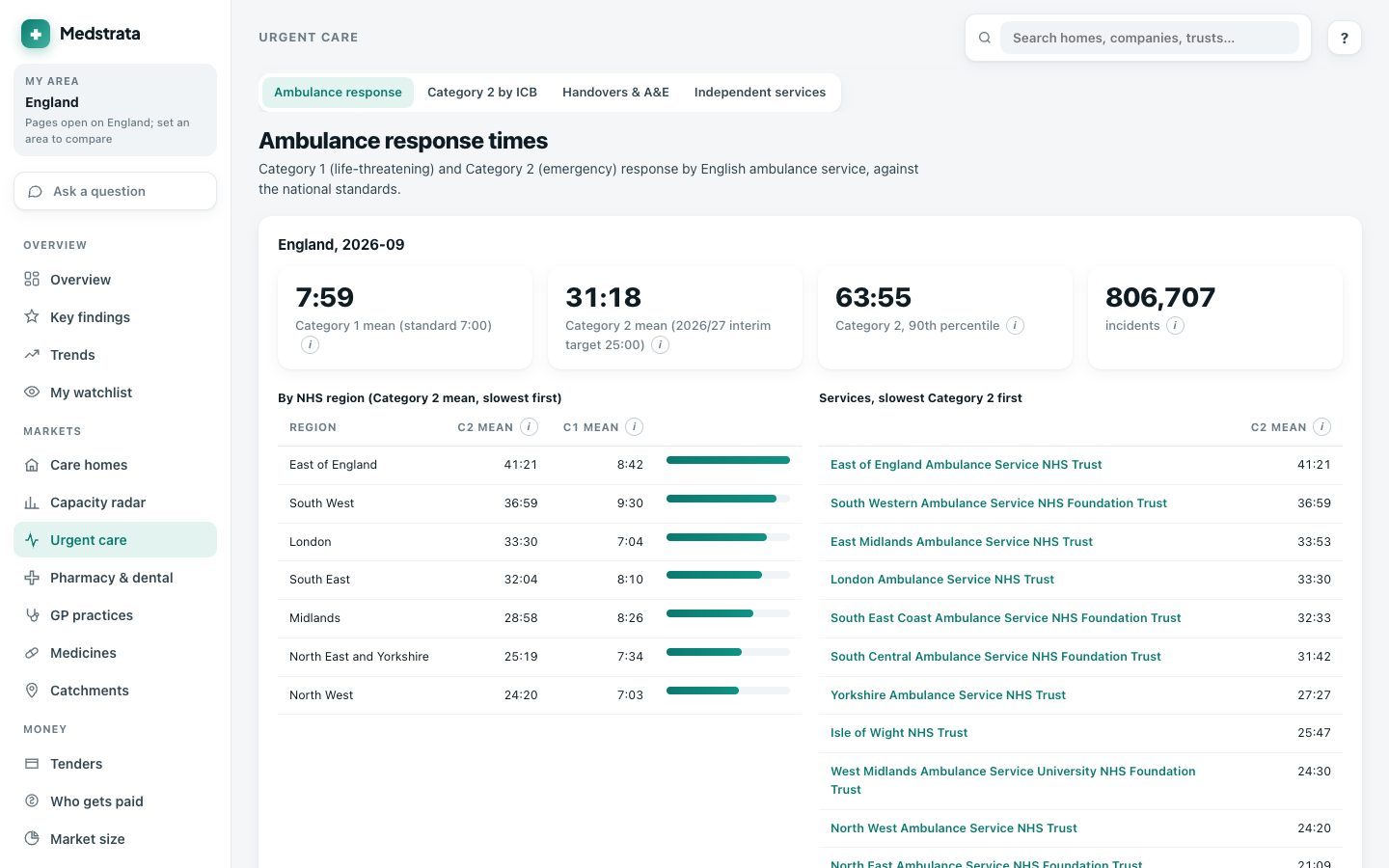
Urgent care: the page as it looks in the app
  1. Four viewsAmbulance response, Category 2 by ICB, handovers and A&E, and independent services.
  2. EnglandCategory 1 and 2 response times against their standards, and incidents, for the latest month.
  3. Slowest firstBy NHS region and by ambulance service; click a service for its trend.
Trend chartsThe last 25 months, so a bad winter stands out from a bad service.
NHS

Trust and ICB profiles

One NHS trust or ICB on a page: performance, finances, staff and patients, tenders and its board. Open it →
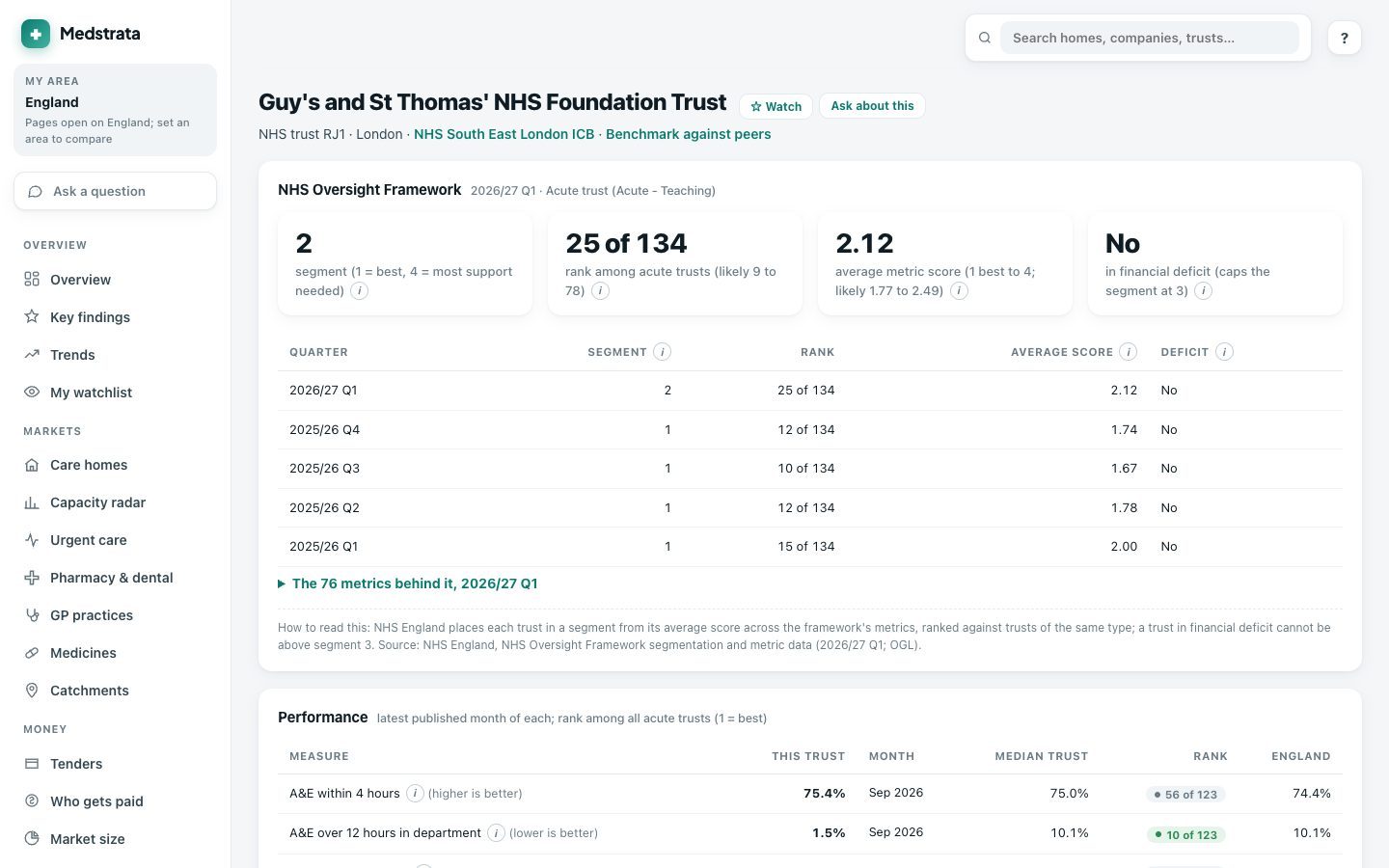
Trust and ICB profiles: the page as it looks in the app
  1. Watch itAdd the trust to your watchlist.
  2. PerformanceA&E, waiting lists, cancer and ambulance handovers, latest month, with England for comparison.
  3. All the detailOversight framework segment, finances, staff survey, patient experience, tenders and board papers further down.
BenchmarkThe Benchmark pages rank every trust and ICB on each measure, among trusts of the same type.
SpendA trust's spend by category against similar trusts is under Who gets paid, Trust spend benchmark.
NHS

GP practices

Every practice: patients, appointments, staff and funding against need, by ICB and PCN. Open it →
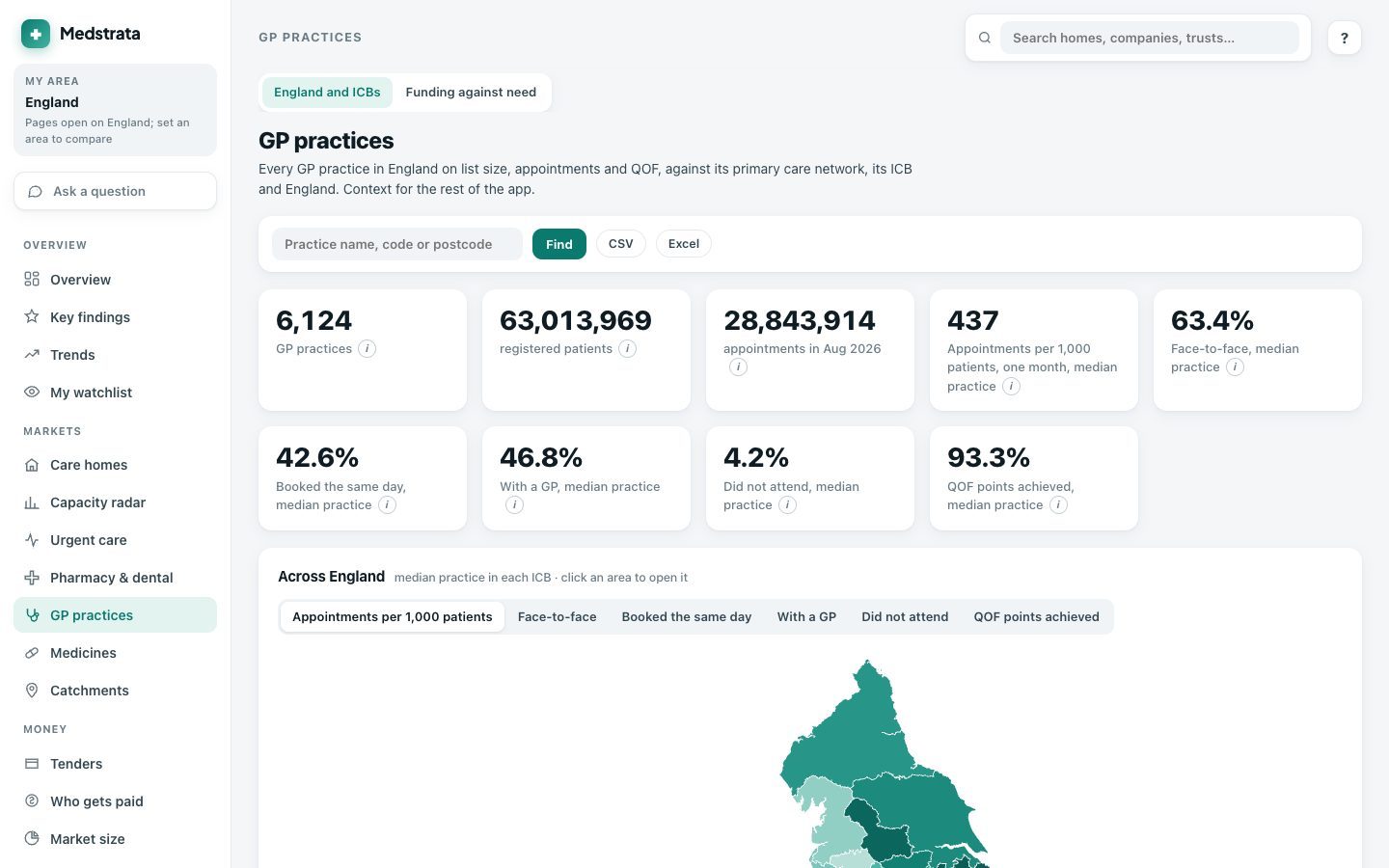
GP practices: the page as it looks in the app
  1. England and ICBsThe median practice in each ICB, or funding against need.
  2. EnglandPatients per GP, appointments, face-to-face share and same-day share.
  3. By ICBThe median practice in each ICB on the map; click an ICB for its PCNs and practices.
A practiceIts patients, staff, appointments, prescribing and funding, with its PCN and ICB.
NHS

Medicines

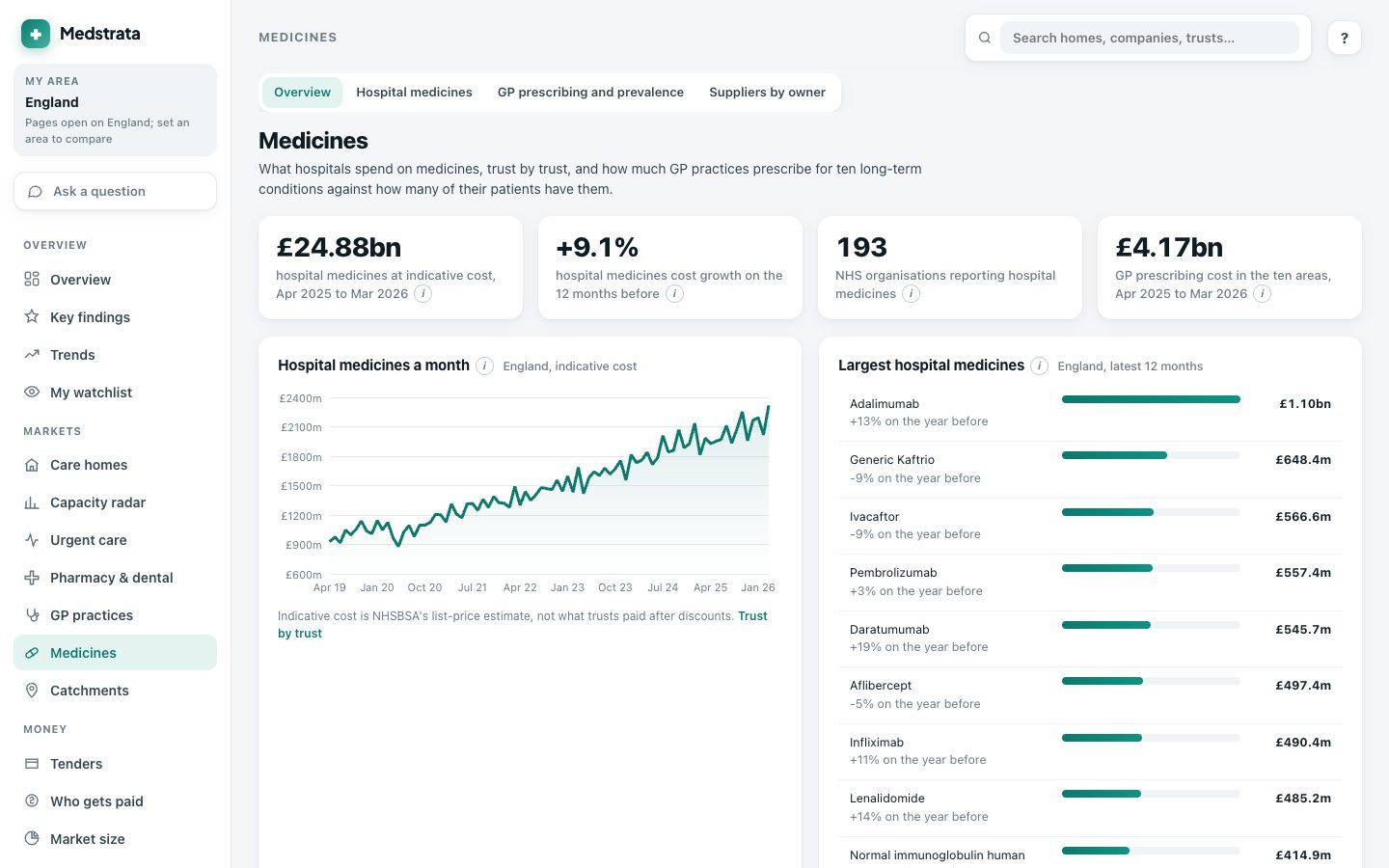
Hospital medicines spend and GP prescribing against disease prevalence. Open it →

Medicines: the page as it looks in the app
  1. Four viewsOverview, hospital medicines by trust and medicine, GP prescribing against prevalence, and the suppliers of medicines and devices by owner.
  2. EnglandHospital medicines a month and GP prescribing, with the change on a year before.
  3. Largest medicinesWhere the money goes; click one for each trust's use.
Against similar trustsEach trust's use of a medicine is compared with trusts of the same type.
Suppliers by ownerEvery supplier of a medicine or device listed in dm+d, with where its top company is registered; filter by owner, or medicines or devices.
NHS

Pharmacy and dental

Pharmacy owners, openings and closures, leaderboards, distance sellers, and NHS dental contracts. Open it →
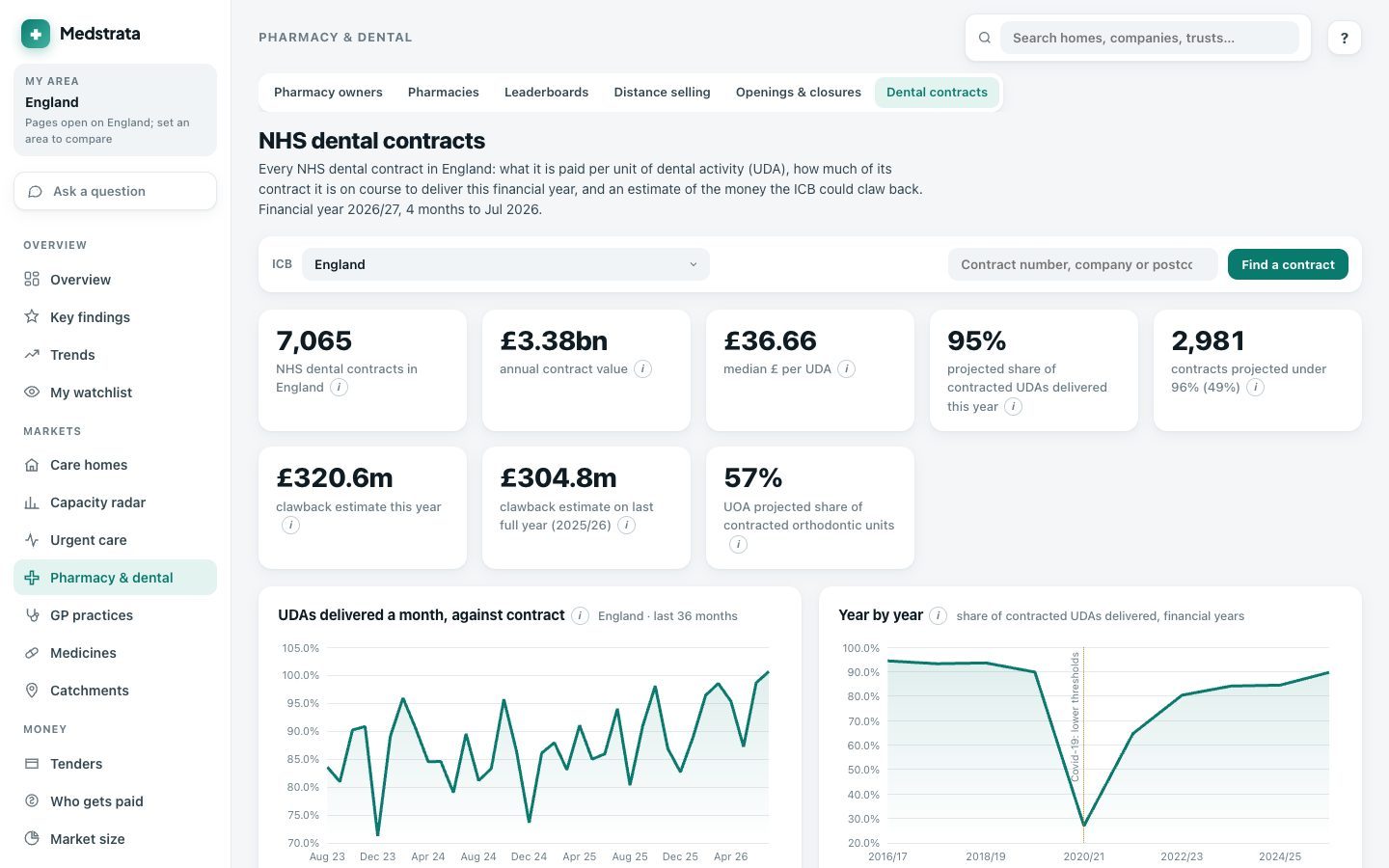
Pharmacy and dental: the page as it looks in the app
  1. Six viewsOwners, pharmacies, leaderboards, distance selling, openings and closures, and dental contracts.
  2. Dental contractsUDAs delivered against contract, by ICB, with contracts on course to under-deliver.
  3. Find a contractChoose an ICB, or find a contract by number, company or postcode.
ClawbackOur estimate of what an ICB could recover from a contract that delivers under 96% of its UDAs.
NHS

Board papers

Search the papers NHS trust and ICB boards publish, with leadership changes. Each paper links to the board's own website. Open it →
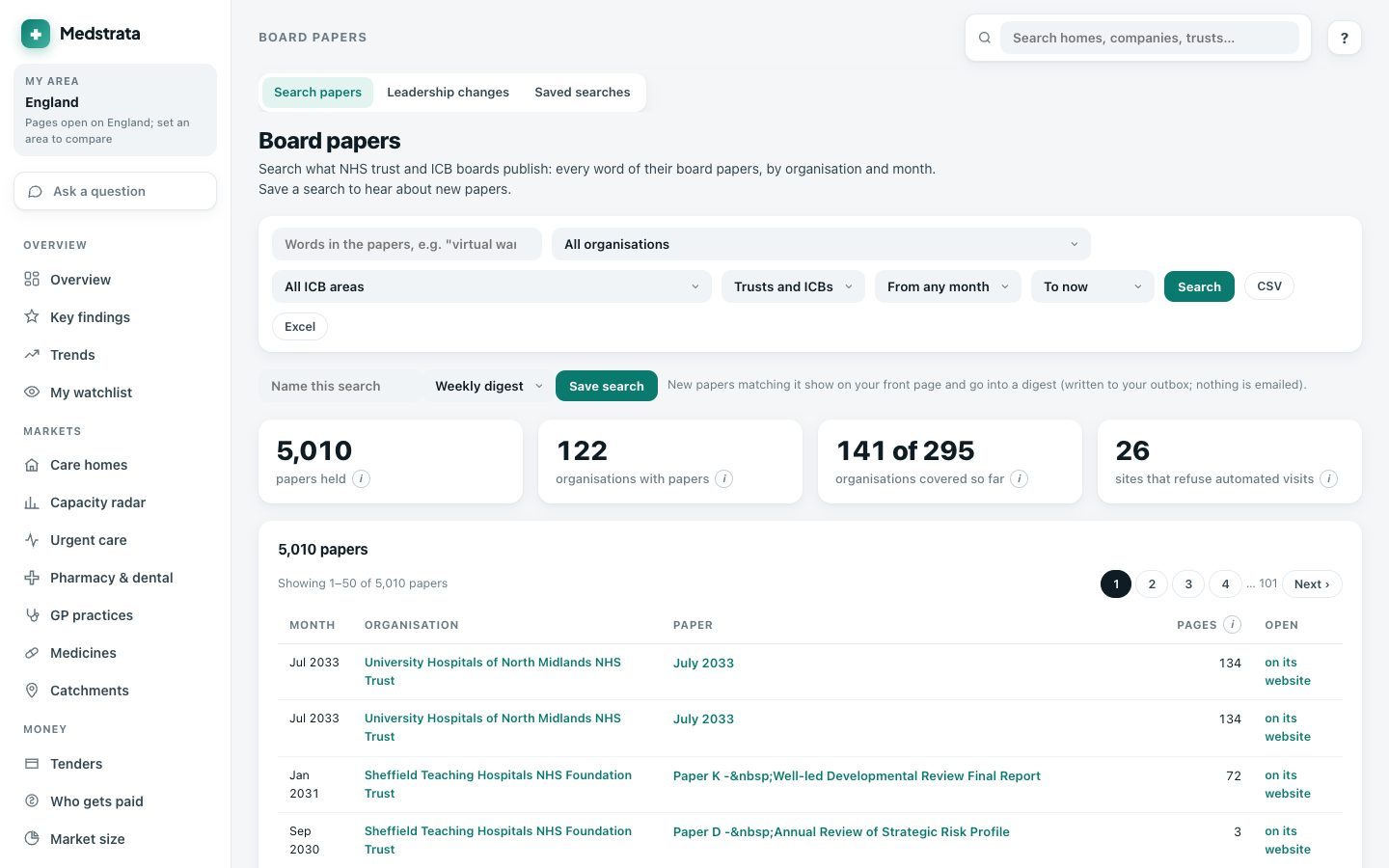
Board papers: the page as it looks in the app
  1. Search the papersWords or a phrase in quotes; filter by trust, ICB or kind of organisation.
  2. MatchesEach paper with a short extract where your words appear, and a link to it on the publisher's website.
  3. Leadership changesBoard members who joined, left or changed role.
Save the searchNew papers that match show in your weekly digest.
Extracts, not copiesBoard papers are each trust's and ICB's own copyright, so we show up to three short extracts (300 characters each) credited to the publisher, and link to the paper on its website.
Money and contracts

Tenders and expiring contracts

Every NHS and council health and care procurement: open tenders, awards, and contracts coming to an end. Open it →
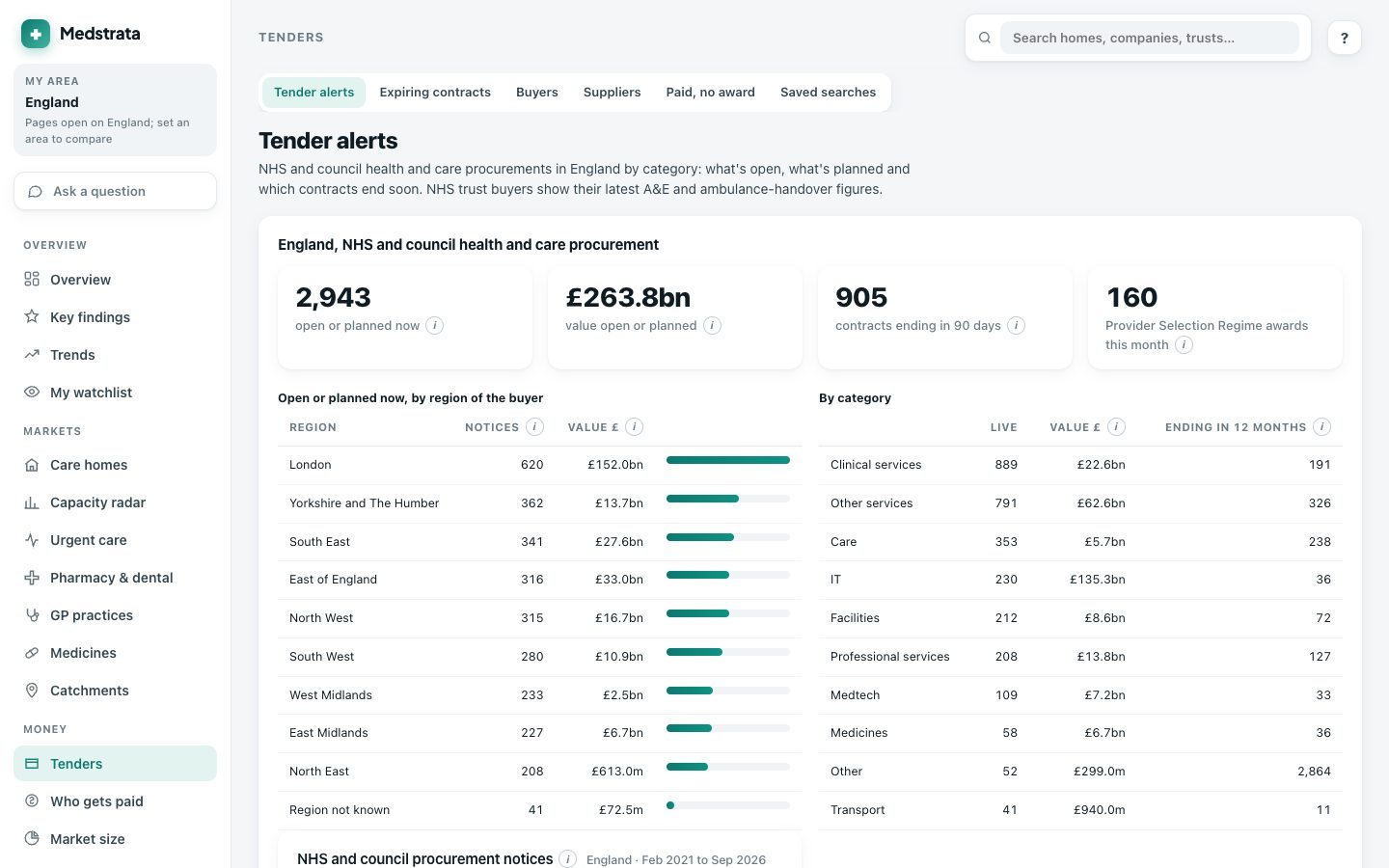
Tenders and expiring contracts: the page as it looks in the app
  1. EnglandOpen or planned now and its value, contracts ending in 90 days, and Provider Selection Regime awards.
  2. By regionOpen or planned notices and contracts ending in 12 months, by the buyer's region.
  3. By categoryClinical services, care, IT, facilities and more: click one to list them.
  4. Expiring contractsContracts ending in the next 24 months, by ICB area, for planning bids.
Save the searchFilter the list further down, then save it with a name and a weekly digest; new matches go to your outbox.
Paid, no awardBuyers paying a supplier over £25,000 with no award to it: often spot purchases and placements.
Money and contracts

Who gets paid

Who NHS bodies and councils pay, from their published spending: the supplier league, accounts won and lost, and who owns each supplier, country by country. Shown here: Bayer plc, owned from the Netherlands and, above that, Germany. Open it →
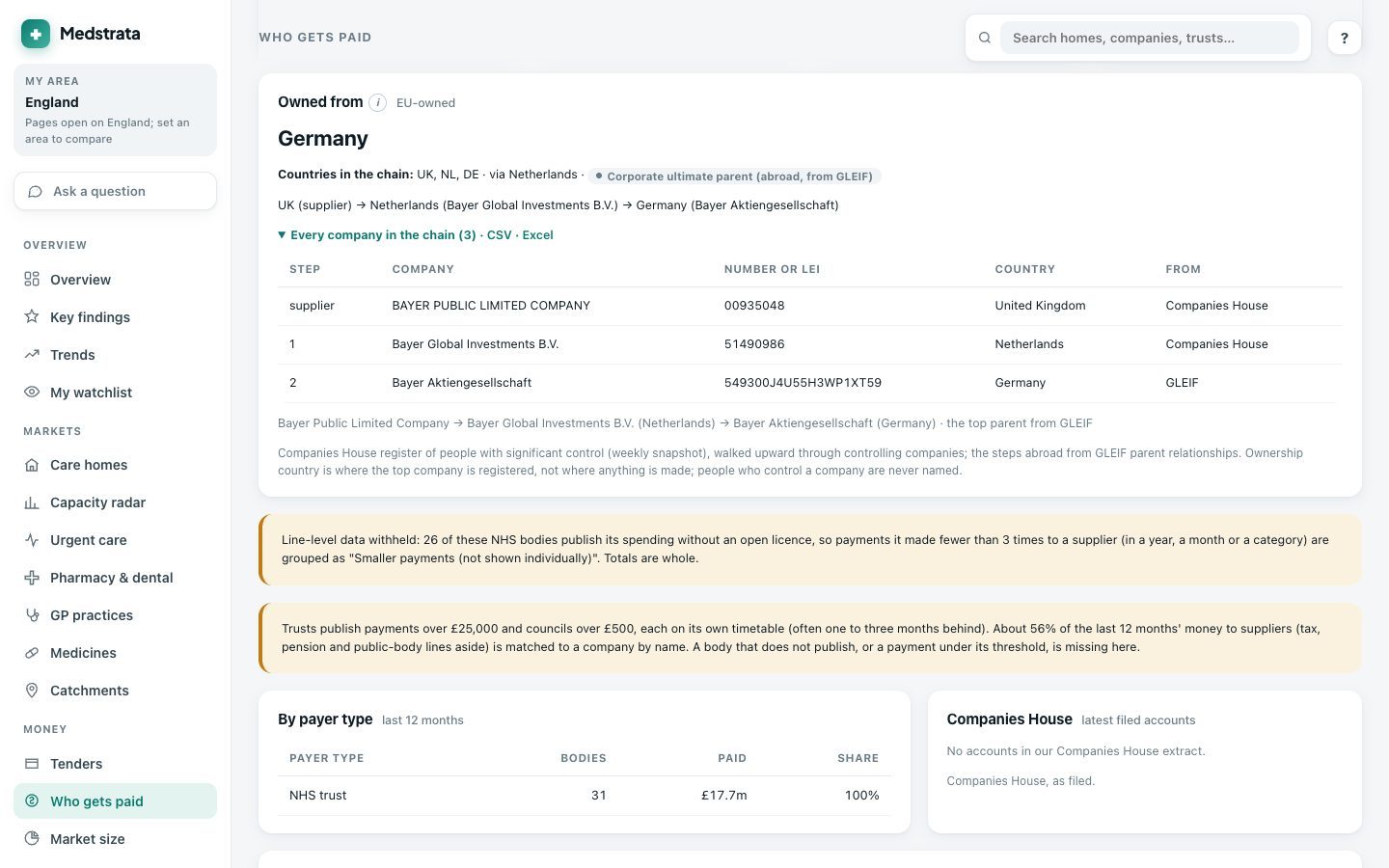
Who gets paid: the page as it looks in the app
  1. Owned fromThe country of the supplier's top company, from the Companies House register of people with significant control. Where a parent is registered abroad, GLEIF's parent records carry the chain on.
  2. Countries in the chainEvery country the ownership passes through, in order: the supplier, each parent between, and the top. Here UK, then the Netherlands, then Germany.
  3. Where the chain endsWith a corporate ultimate parent, with individuals (counted, never named), with a statement that there is no registrable controller, in joint control, or with a parent that could not be identified.
  4. Every company in the chainEach step with its company number or LEI, country and source (Companies House or GLEIF); download it as CSV or Excel. It is in the page's data and the API too.
ThresholdsCouncils publish payments over £500 and NHS bodies over £25,000, so NHS figures leave out smaller payments.
NHS bodies without an open licenceSome NHS trusts and ICBs publish their spending without an open licence. For those we show totals and supplier summaries only: a figure made from fewer than 3 payments is grouped as "Smaller payments (not shown individually)", and their pages say so. Totals stay whole.
Individuals withheldPayments to people and sole traders are counted in every total but never named: they show as "Individuals and sole traders (names withheld)". A supplier is named only when it matches Companies House or is plainly an organisation (Ltd, LLP, Trust, Council and so on).
The league and the other viewsThe Who gets paid tabs: the supplier league by money received in the latest 12 months, my accounts, competitors, prospects, threshold watch, accounts won and lost, and the trust spend benchmark. Open any supplier for who pays it and who owns it.
Any ownership from, and viaOn Market size, "Any ownership from" narrows to suppliers with a country anywhere in their chain, e.g. any Japanese ownership. "Owned from abroad, and through where" splits overseas-owned spend by route, e.g. Germany via the Netherlands. Account packs show both for each buyer.
Medicine and device suppliersMedicines › Suppliers by owner lists every supplier of a current dm+d product with its owner's country, its number of products, whether they are mostly medicines or devices (dm+d's licensing authority), and how many are parallel imports (bought abroad and relabelled for the UK).
Read with careOwnership country is where a company is registered, not where anything is made. The register stops at the first parent abroad, so a chain goes further only where GLEIF has that parent.
Money and contracts

My accounts

Your own company's customers: who pays you, how much, and which accounts are growing or slipping. Open it →
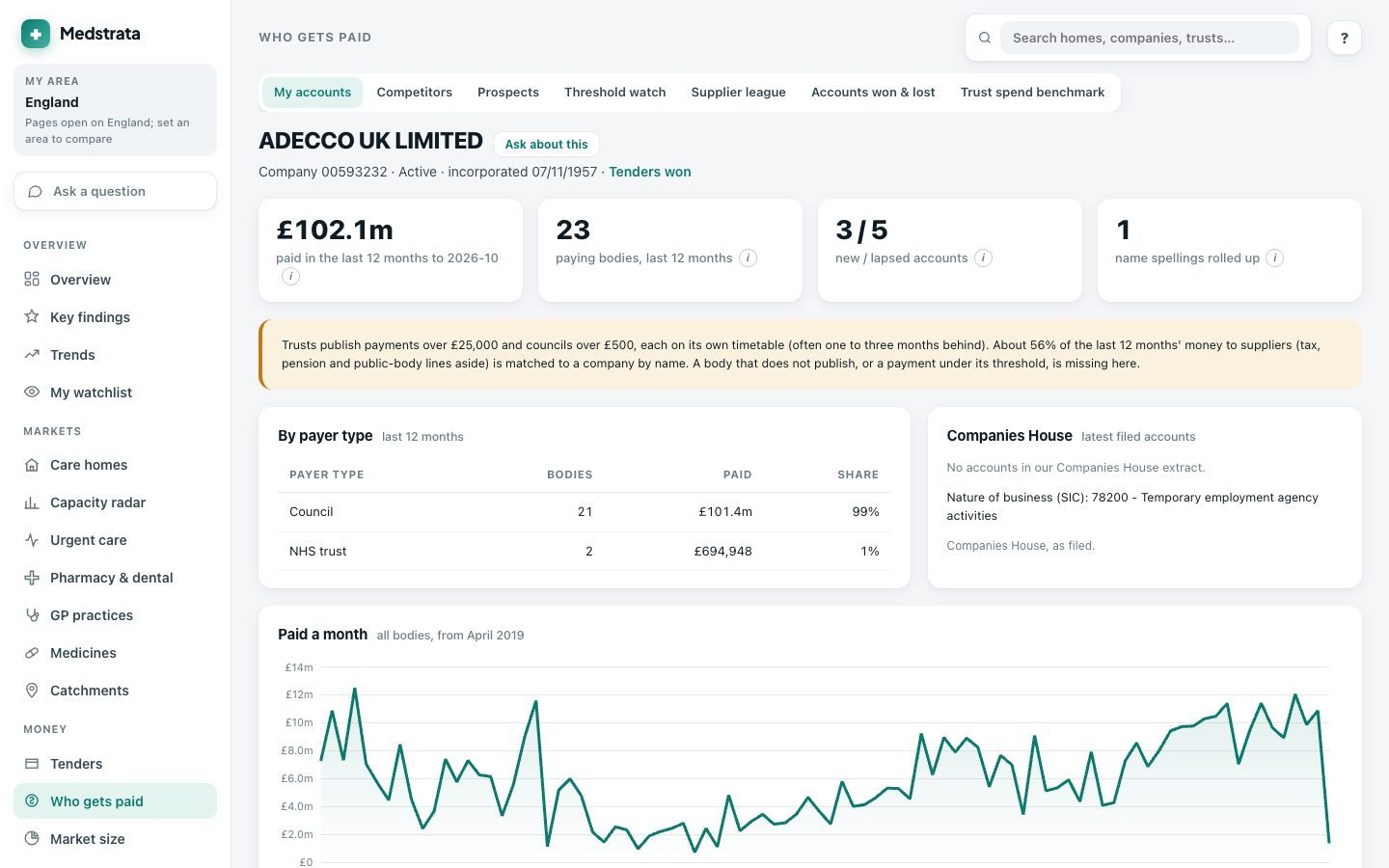
My accounts: the page as it looks in the app
  1. Your companyFind it on My accounts by its Companies House number or name; this page is then yours.
  2. The headlinePaid in the last 12 months, how many bodies paid you, new and lapsed accounts, and the name spellings rolled up.
  3. Who pays youBy payer type with shares; further down, each paying body, its accounts and a monthly trend from April 2019.
Tenders wonThe link beside the name lists the awards made to the company on Find a Tender.
Money and contracts

Competitors

Up to five companies side by side: who pays each, how it is moving, buyers where one is losing spend, and buyers one has just won. Open it →
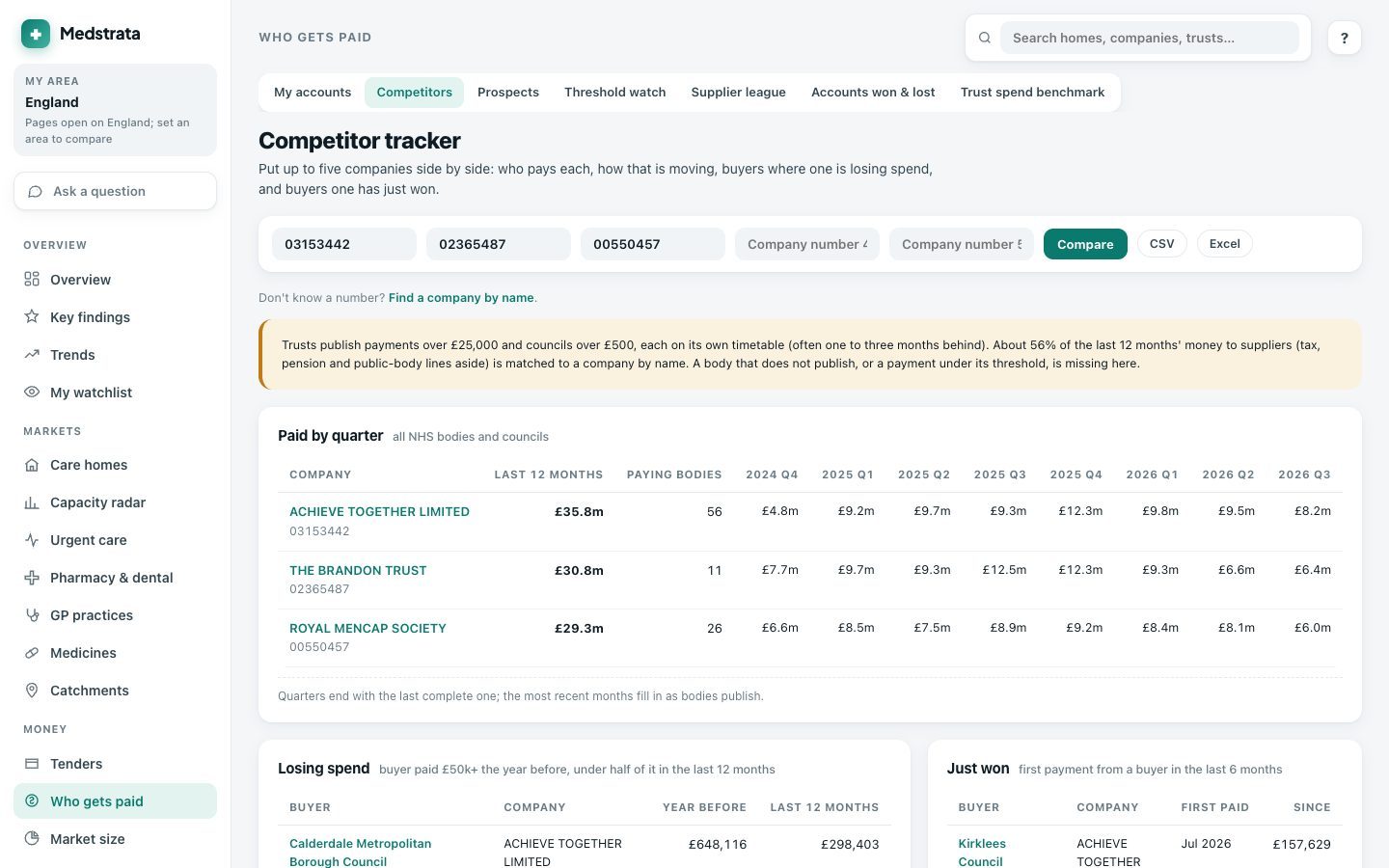
Competitors: the page as it looks in the app
  1. Choose companiesUp to five Companies House numbers; find one by name if you don't know it.
  2. By quarterMoney received and paying bodies for each, quarter by quarter.
Losing and winningFurther down: buyers where one company's spend is falling, and buyers one has just won.
Money and contracts

Prospects

Buyers paying your competitors but not you, ranked by what they paid them, with their next contract end with a competitor and board papers that name one. Open it →
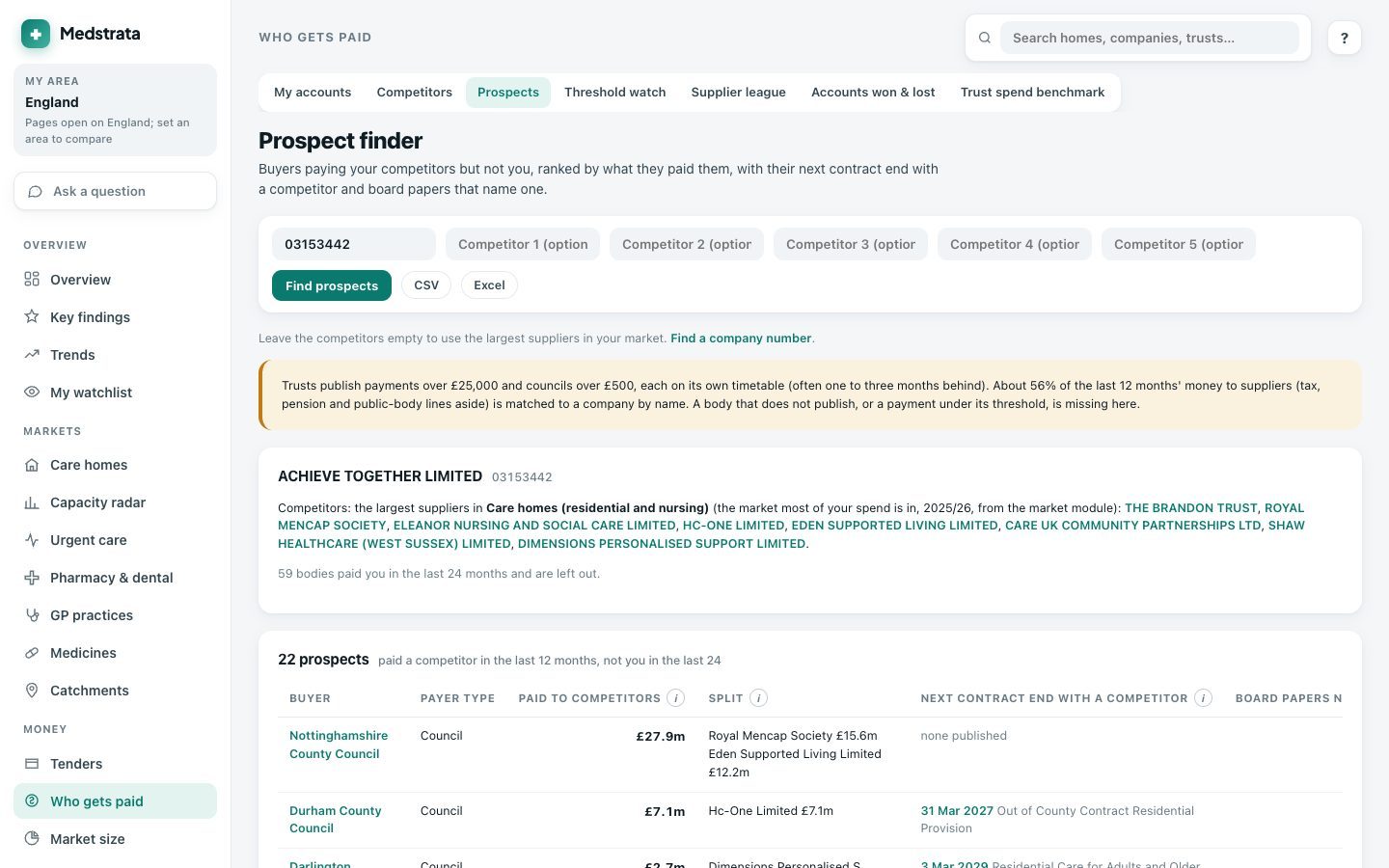
Prospects: the page as it looks in the app
  1. Your company and competitorsLeave the competitors empty to use the largest suppliers in your market.
  2. Largest firstEach buyer with what it paid competitors and who, its next contract end with one, and board papers naming one.
Account packOpen a buyer's account pack for the full picture before you call.
Money and contracts

Market size and share

How much councils and the NHS spend in each market, each supplier's share and how concentrated it is. Open it →
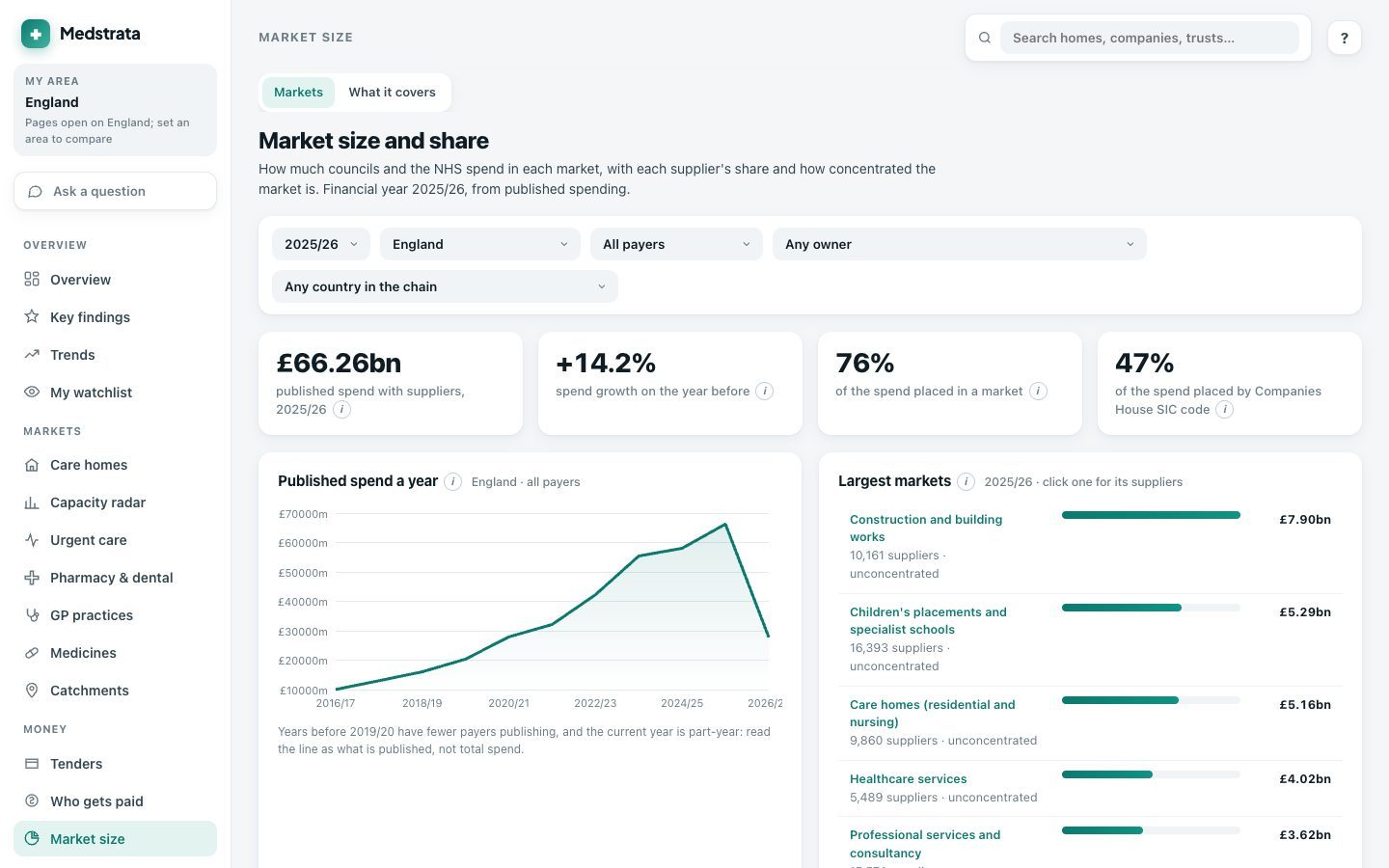
Market size and share: the page as it looks in the app
  1. Year, region and payerThe latest complete financial year for England by default.
  2. The headlinePublished spend with suppliers and its growth, and how much of it is placed in a market.
  3. Largest marketsClick one for its suppliers, their shares and concentration.
  4. Owned fromNarrow the markets, or one market's suppliers, to those whose top company is in the UK, the EU, the US or elsewhere; or to suppliers with a country anywhere in their ownership chain.
  5. What it coversThresholds, what is left out and how current each payer is.
ConcentrationHHI, the competition authorities' measure: over 2,500 is highly concentrated.
Who owns the suppliersEach market shows its spend split by where the suppliers' top companies are registered, with the trend.
Every country in the chainFurther down: spend owned from abroad by the route it takes (Japan via the Netherlands), and by any country anywhere in the chain. A supplier's own page lists every company in its chain with its country.
Money and contracts

Account packs

One buyer on one page, for a supplier preparing to sell to it, as Excel or PDF. Open it →
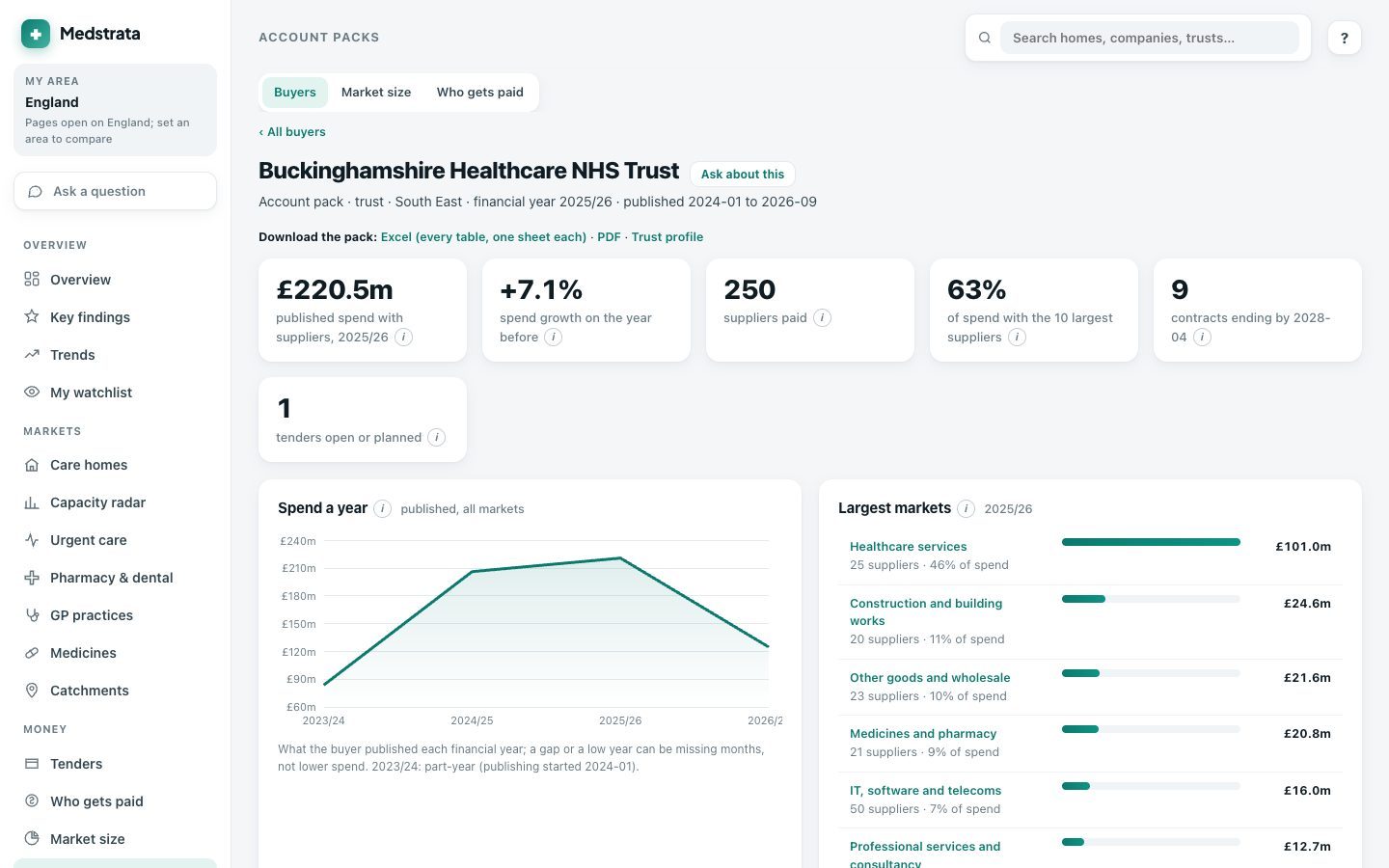
Account packs: the page as it looks in the app
  1. Download itExcel with every table on its own sheet, or a PDF to print or send.
  2. The headlineWhat it spends with suppliers, growth, suppliers paid, and contracts ending.
  3. Spend by marketIts markets and the largest suppliers in each; the incumbent is the one to displace.
Board papersSearch a trust's or ICB's board papers from its pack; the search carries into the PDF.
Money and contracts

Supplier alerts

Know when a competitor gains a buyer, when a buyer's spend in your market jumps, and when a contract nears its end. Open it →
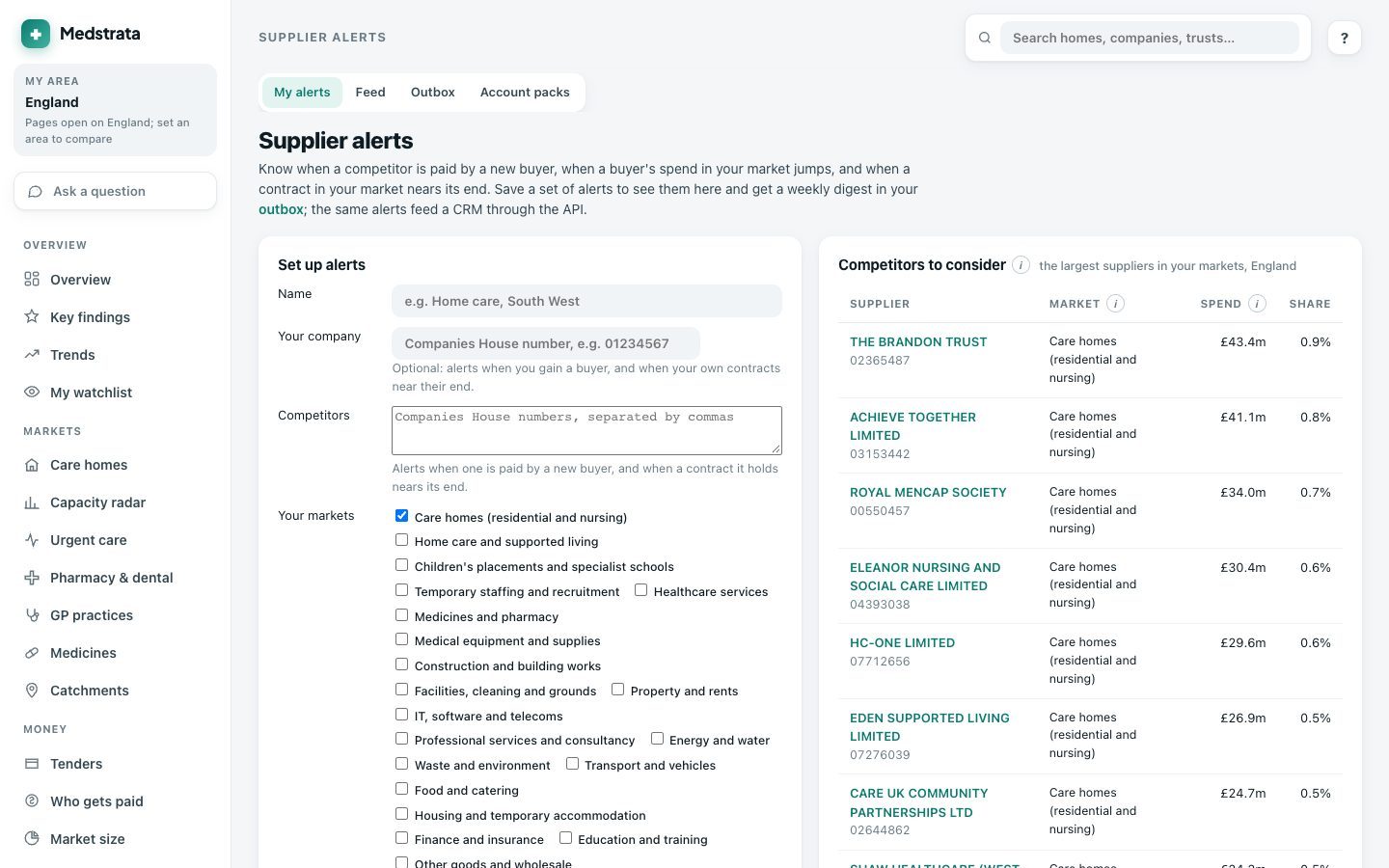
Supplier alerts: the page as it looks in the app
  1. Set up alertsYour company, competitors, markets, region and thresholds.
  2. Competitors to considerThe largest suppliers in your markets, to copy into Competitors.
  3. For a CRMThe same alerts as a feed for Salesforce, HubSpot or any system that can call a web address.
Weekly digestSaved alerts send a weekly digest to your outbox. Nothing is emailed.
Money and contracts

Supply origin and ethics

Where medical consumables come from, how concentrated supply is, what the US forced and child labour lists say about the product, and who owns the suppliers NHS bodies pay: for steering buying towards ethical, resilient supply. Open it →
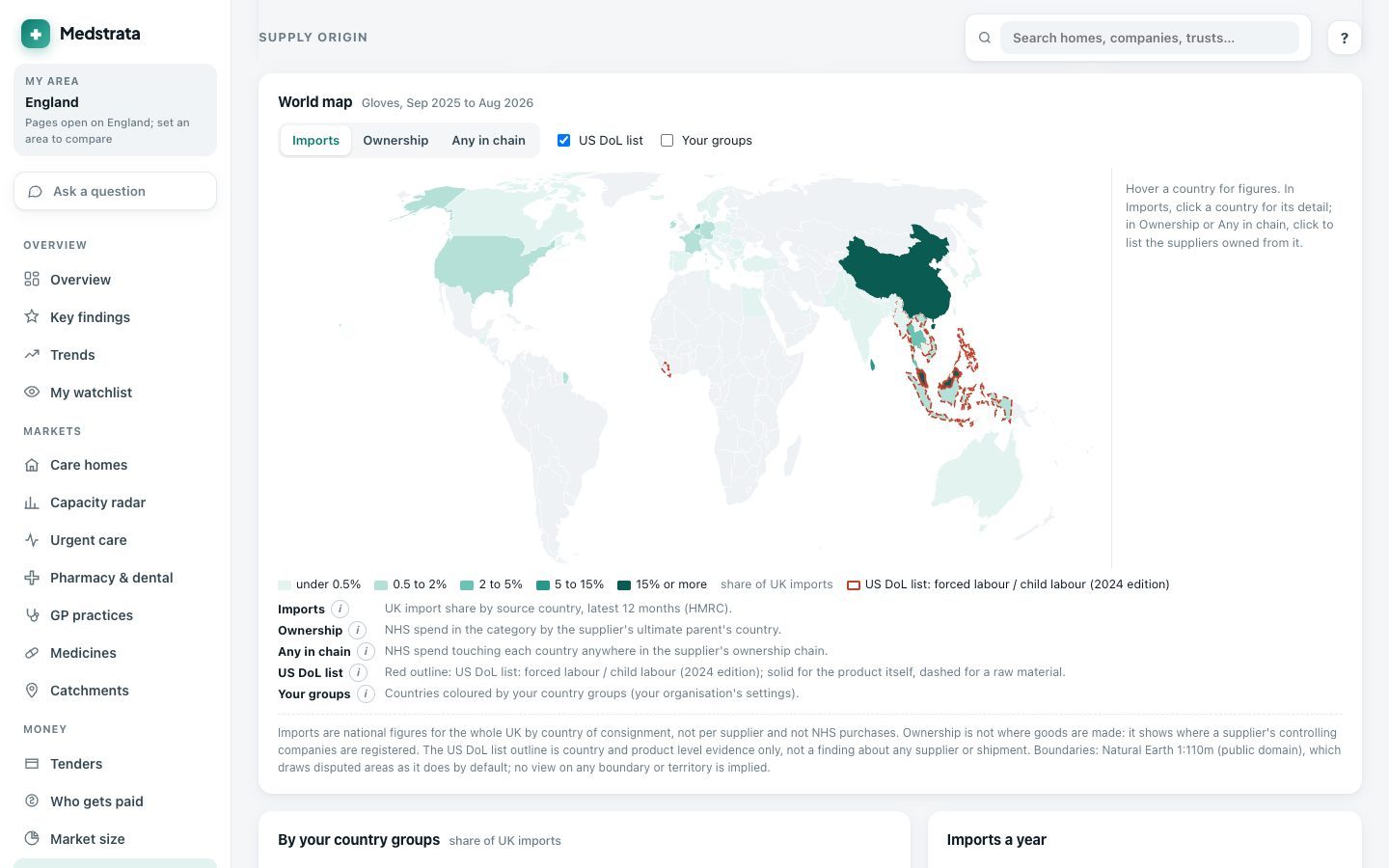
Supply origin and ethics: the page as it looks in the app
  1. Map layersImports shows the UK's import share by source country (HMRC, latest 12 months). Ownership shows NHS spend by the country of each supplier's ultimate parent; Any in chain shows spend touching each country anywhere in the ownership chain.
  2. US DoL list outlineA red outline marks countries the US Department of Labor lists for this product: solid where it names the product itself, dashed where it names a raw material such as cotton, rubber or PVC. It is country and product level only.
  3. Your groupsColours countries by your country groups: your organisation's settings, not a ranking. Set them under My country groups and weights.
  4. Click a countryIn Imports, a click shows that country's imports, share, rank, five-year trend and any listing. In Ownership or Any in chain, it lists the suppliers owned from that country. Scroll or pinch to zoom; drag to move.
The US evidenceThree US government sources, refreshed as they are republished: the Department of Labor's List of Goods Produced by Child Labor or Forced Labor and its EO 13126 list (by product and country, checked monthly; the current edition is 2024); the UFLPA Entity List of named companies, from its Federal Register notices; and US customs (CBP) forced-labour Findings and the notices lifting them, also from the Federal Register. A lifted Finding is shown as history.
Country lists are not about a supplierThe DoL lists say a product from a country is at risk, not that any supplier, maker or shipment is. A named company appears against a supplier only where a person has checked that it is the same company on the UFLPA Entity List or a customs Finding; there are none today.
Imports in a listed codeBeside a listing, the imports figure is all UK imports in that product code from the country, not imports of the listed good itself.
Procurement ActUnder the Procurement Act 2023 suppliers from treaty states (the WTO GPA: the US, the EU, Japan and others) must not be treated less favourably for their nationality. Owner country is shown, never scored; use the groups for your own analysis and take advice before using them in a procurement.
What it cannot showOwnership is not where goods are made; much NHS buying goes through NHS Supply Chain, which hides the makers; import origin is national, not per supplier. Boundaries are Natural Earth's, with no view on any disputed area.
Money and contracts

Supply origin: suppliers and shortlist

The suppliers NHS bodies paid for a product, ranked on evidence by your own weights, with the whole ownership chain, and a shortlist that exports with its evidence. Open it →
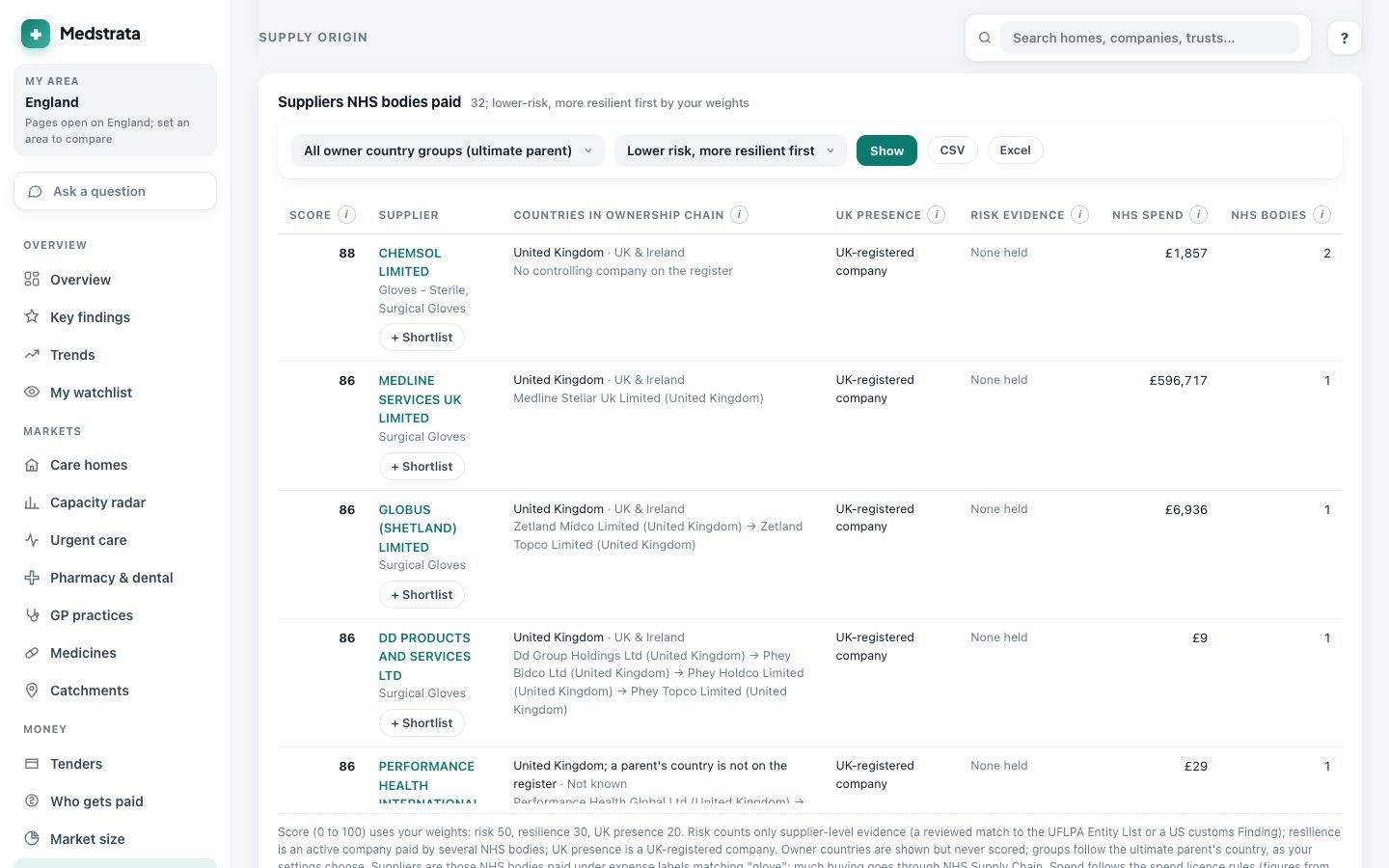
Supply origin: suppliers and shortlist: the page as it looks in the app
  1. Filter and sortNarrow to one of your owner country groups, or sort by NHS spend, number of NHS bodies or name. The default puts lower-risk, more resilient suppliers first by your weights.
  2. The supplier tableEach supplier's score, every country in its ownership chain and the chain itself (companies only), whether it is a UK-registered company, any reviewed risk evidence, and NHS spend under matching labels.
  3. ShortlistAdd a supplier to your shortlist. My shortlist downloads as Excel or PDF with each supplier's evidence, source dates, the US listings for the product and the notes a procurement team needs.
Your settingsMy country groups and weights: name up to six groups, put each country in one, choose whether a supplier is grouped by its ultimate parent's country or by any country in its ownership chain, and weight risk, resilience and UK presence. Defaults favour evidence, not geography.
The scoreRisk counts only a reviewed match to the UFLPA Entity List or a customs Finding; resilience is an active company paid by several NHS bodies; UK presence is a UK-registered company. The owner's country is never scored.
Spend licenceSpending from NHS bodies without an open licence shows totals and supplier summaries only.
Your account

Your organisation and seats

With a subscription, your organisation has a number of seats. Its owner invites colleagues, manages billing and can give someone else the owner role. Everyone signs in with their work email. Open it →
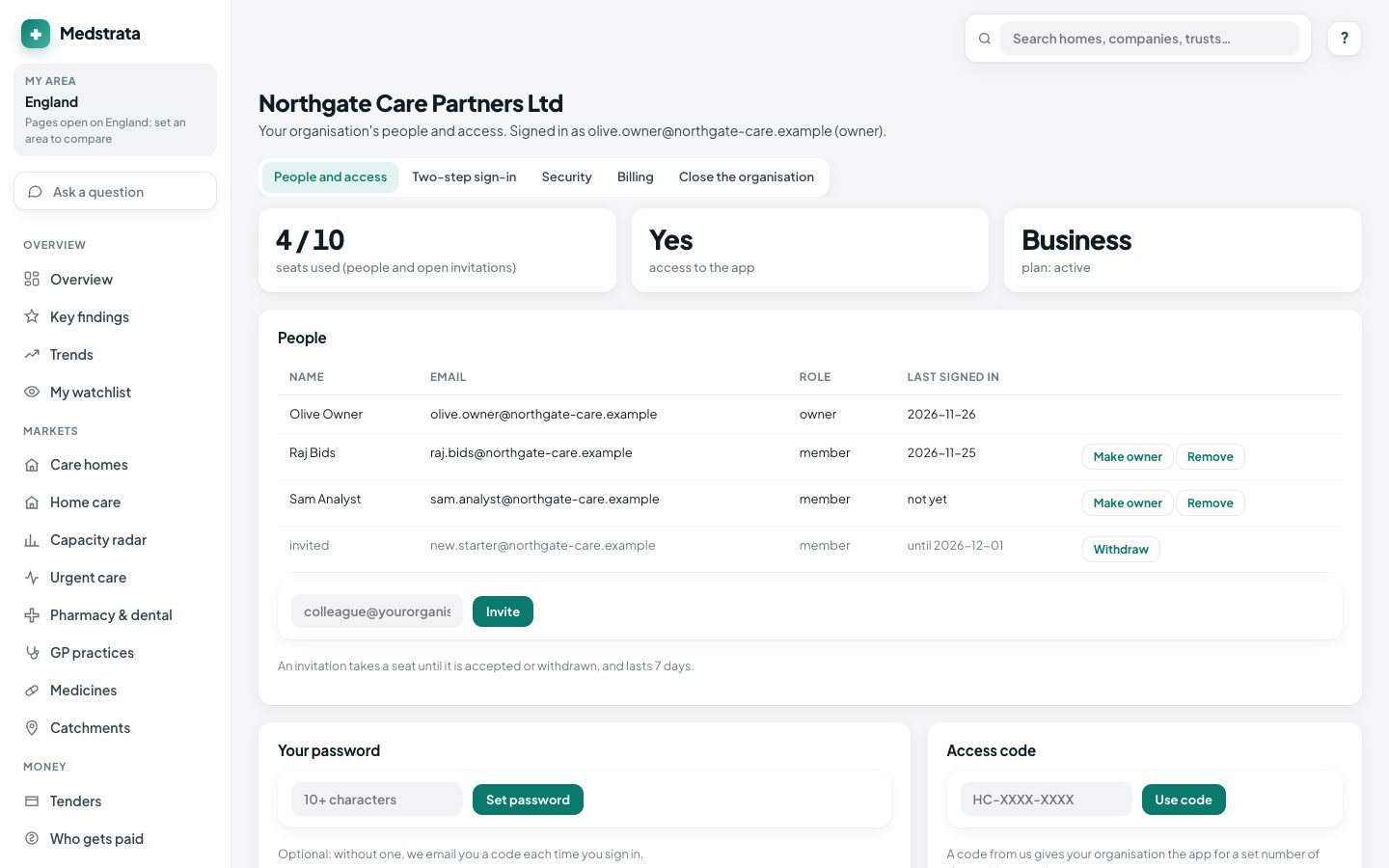
Your organisation and seats: the page as it looks in the app
  1. Seats and accessHow many seats are used (people and open invitations), whether your organisation has access, and its plan.
  2. PeopleEveryone in your organisation. The owner can make someone owner or member, or remove them; a removed person's seat is free at once.
  3. Invite a colleagueAn invitation lasts 7 days and takes a seat until it is accepted or withdrawn.
  4. Password and access codesSign in by an emailed code, or set a password. A code from us gives your organisation the app for a set number of days with no card.
Signing inGive your work email: we email a six-digit code that works once for 15 minutes. Or use your password. Too many wrong tries pause sign-in for 15 minutes.
BillingThe owner sees Billing in the sidebar: the plan, card, invoices, cancelling, and the terms agreed. A plan change takes effect at once and is charged or credited on the next invoice.
Plans and pricesEvery plan includes the whole app; they differ in how many people can sign in: Solo, 1 person, £99 a month; Team, 3 people, £199 a month; Business, 10 people, £299 a month; Enterprise, 11 or more people, on application. Prices are monthly. Perception Investments Ltd is not currently registered for VAT; no VAT is charged. If that changes, we'll give notice before VAT is added. Move up or down under Billing.
VATPerception Investments Ltd is not currently registered for VAT; no VAT is charged. If that changes, we'll give notice before VAT is added.
Your saved thingsWatchlists, saved searches, alerts and Ask questions belong to you, not your organisation, and come back if you are re-invited.
Your account

Two-step sign-in

After your emailed code or password, a six-digit code from an authenticator app on your phone. Someone who learns your password, or gets into your email, still cannot sign in as you. Open it →
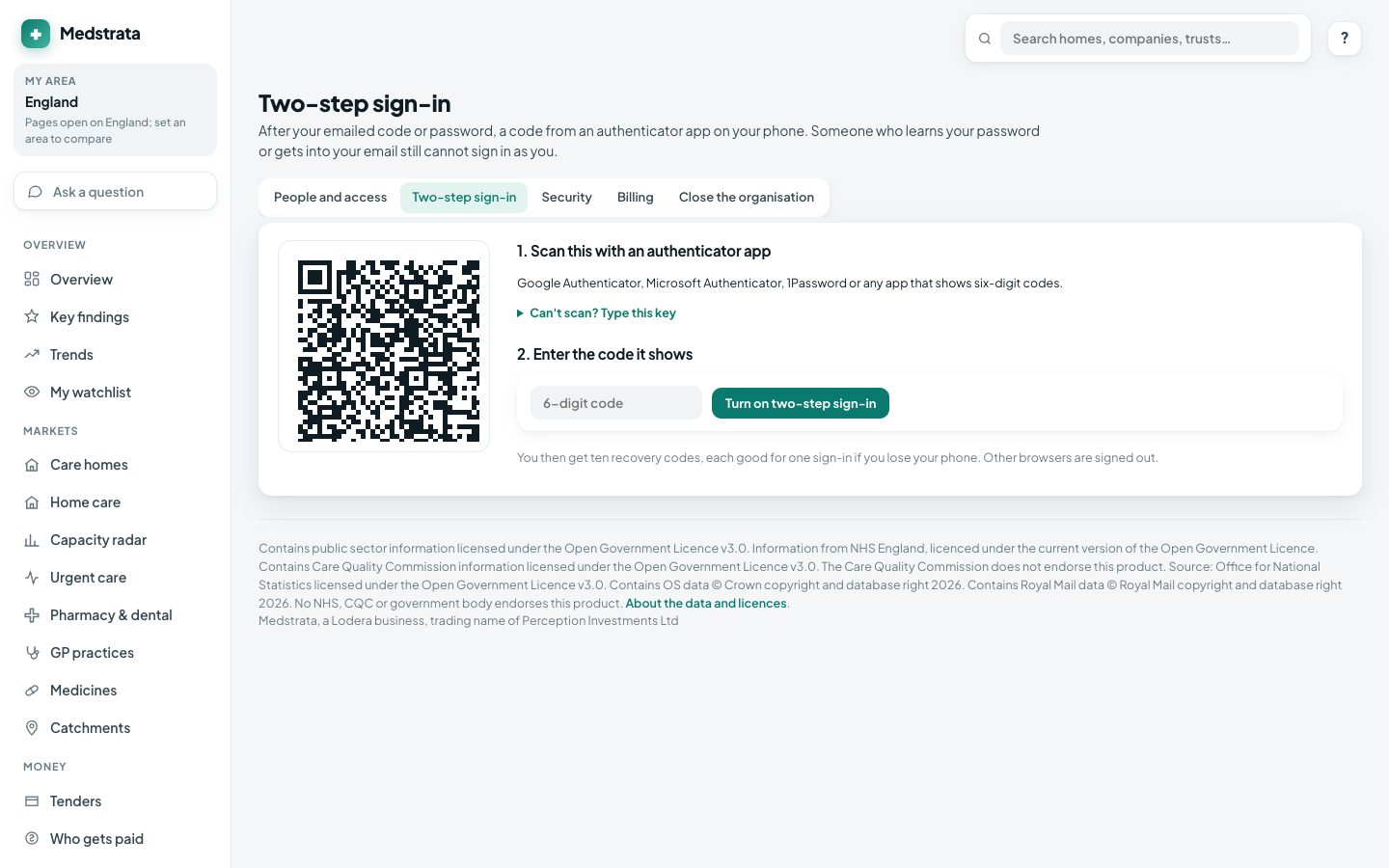
Two-step sign-in: the page as it looks in the app
  1. Scan the codeOpen an authenticator app (Google Authenticator, Microsoft Authenticator, 1Password) and scan this. Can't scan? Type the key underneath instead.
  2. Enter the code it showsCodes change every 30 seconds. Turning it on signs out your other browsers.
Recovery codesYou get ten, shown once. Each signs you in once if you lose your phone: keep them in a password manager or on paper.
Lost your phone and your codes?Ask your owner to contact us. We check it is you, then reset it; you set it up again when you next sign in.
Too many wrong codesTen wrong codes in 15 minutes pause sign-in for 15 minutes. Every attempt is recorded in our audit log.
Your account

Security, leaving and closing

For your organisation's owner: who can sign in, when each person last did, and whether they use two-step sign-in. Require it for everyone, remove someone, or close the organisation. Open it →
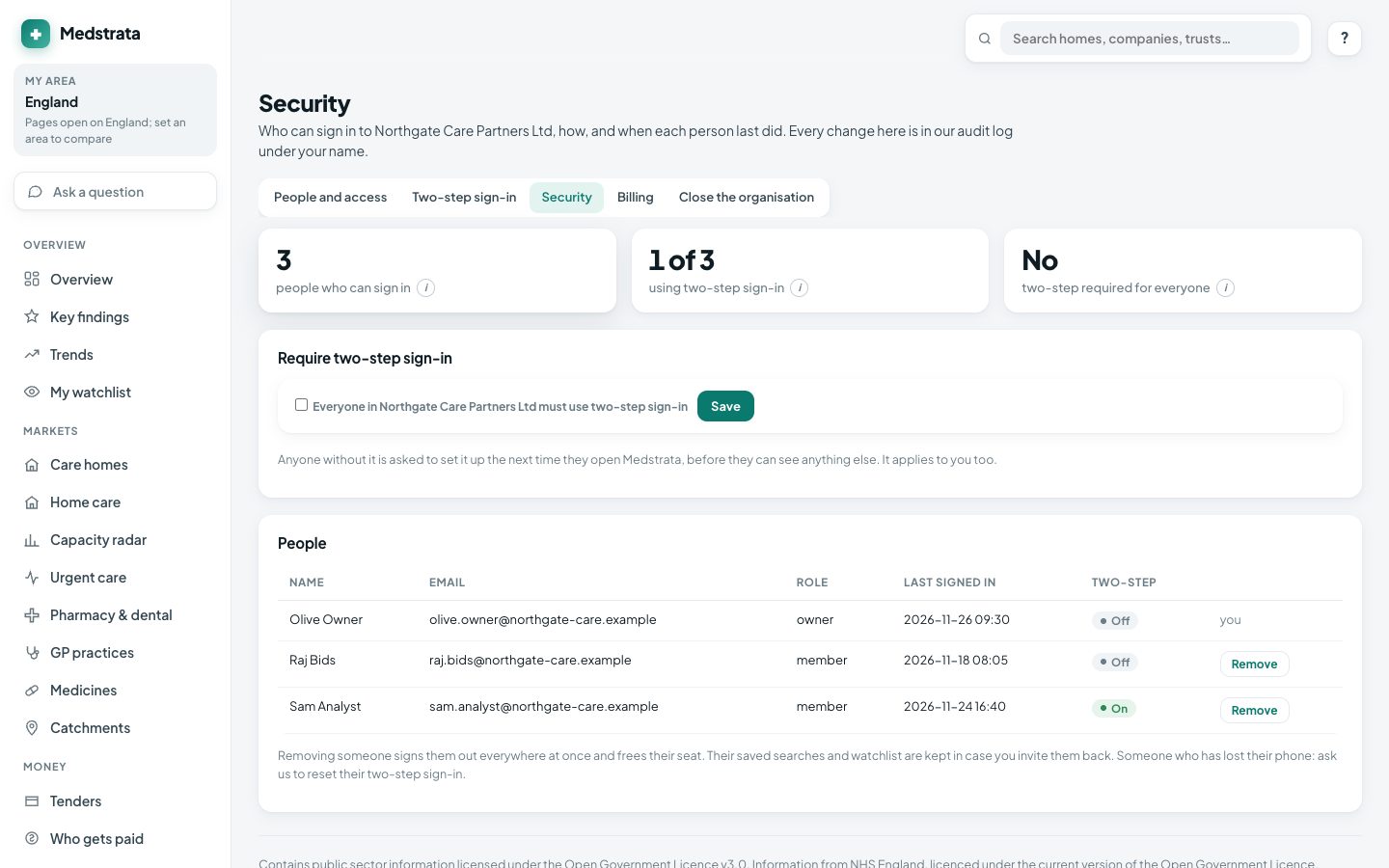
Security, leaving and closing: the page as it looks in the app
  1. At a glancePeople who can sign in, how many use two-step sign-in, and whether you require it.
  2. Require two-step sign-inTick it and anyone without two-step sets it up before they see anything else, you included.
  3. PeopleLast sign-in and two-step for each person. Remove someone and they are signed out everywhere at once, and their seat is free.
LeavingA member can leave from Account, Leave: their sign-in and everything they saved are erased and their seat is free. An owner makes someone else the owner first.
Closing the organisationThe owner can close it from Account, Close the organisation, after taking a copy of saved searches, watchlists and API usage as Excel, CSV or JSON. The subscription does not renew and everyone's personal data is erased.
What we keep after closingInvoices, the company details they were raised to and the terms agreed, for 6 years, because the Companies Act 2006 and HMRC require accounting records to be kept that long. Nothing else.
Your account

My watchlist and digests

Watch homes, operators, trusts, ICBs and councils; what changes is listed here and in a weekly digest.
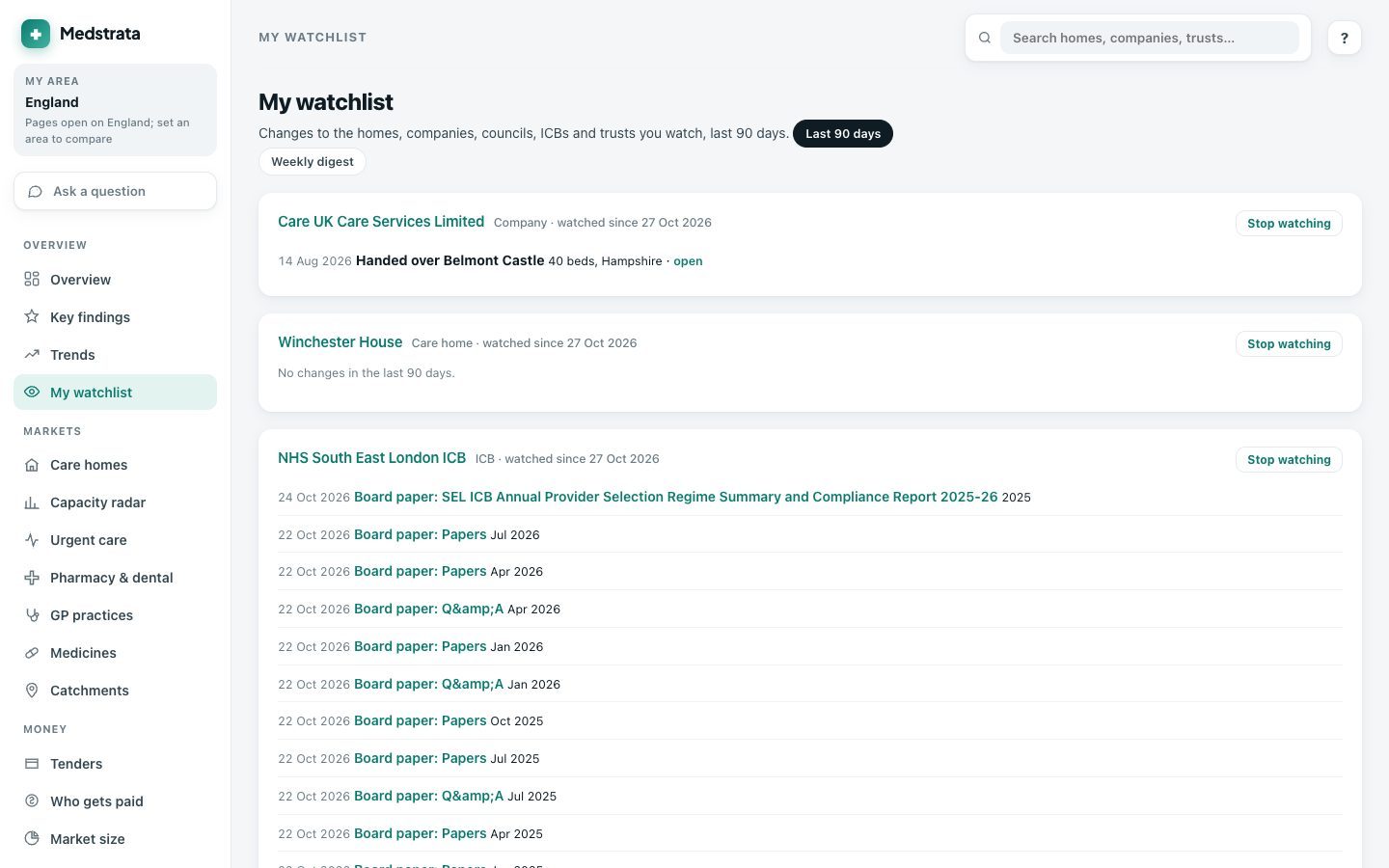
My watchlist and digests: the page as it looks in the app
  1. What you watchEvery home, company, trust, ICB and council you have starred, with what has changed.
  2. The digestA weekly summary of changes to what you watch.
Watch from any pageThe ☆ Watch button on a home, company, trust, ICB or council page.
Your account

Saved searches

Tenders, expiring contracts, board papers and inspection reports: save a search and see what is new since you last looked.
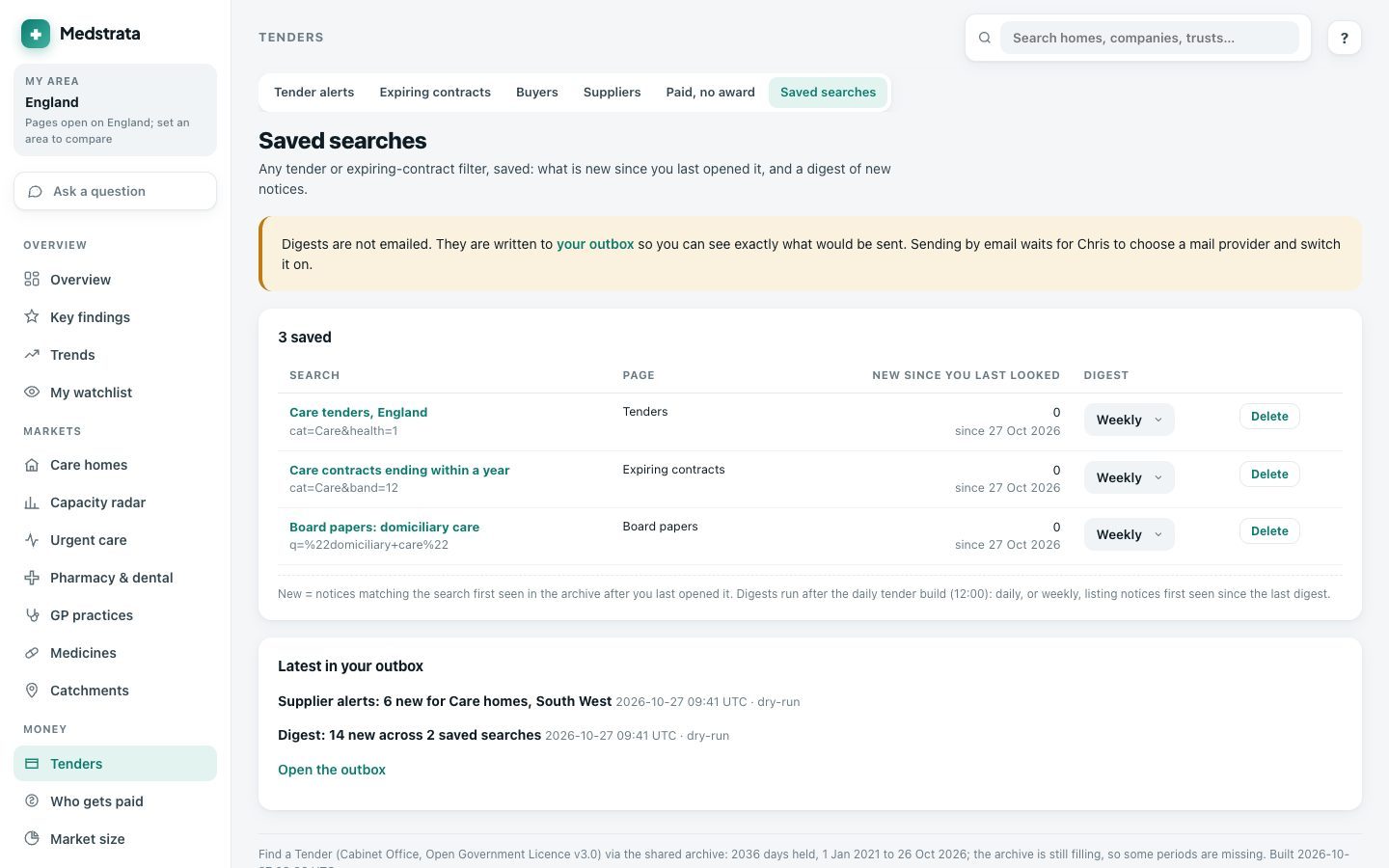
Saved searches: the page as it looks in the app
  1. Your searchesEach with how many new matches since you last looked.
  2. DigestDaily, weekly or off, for each search; digests go to your outbox.
Your account

Digests and the outbox

Weekly digests of saved searches, alerts and support replies are written to your outbox. Nothing is emailed.
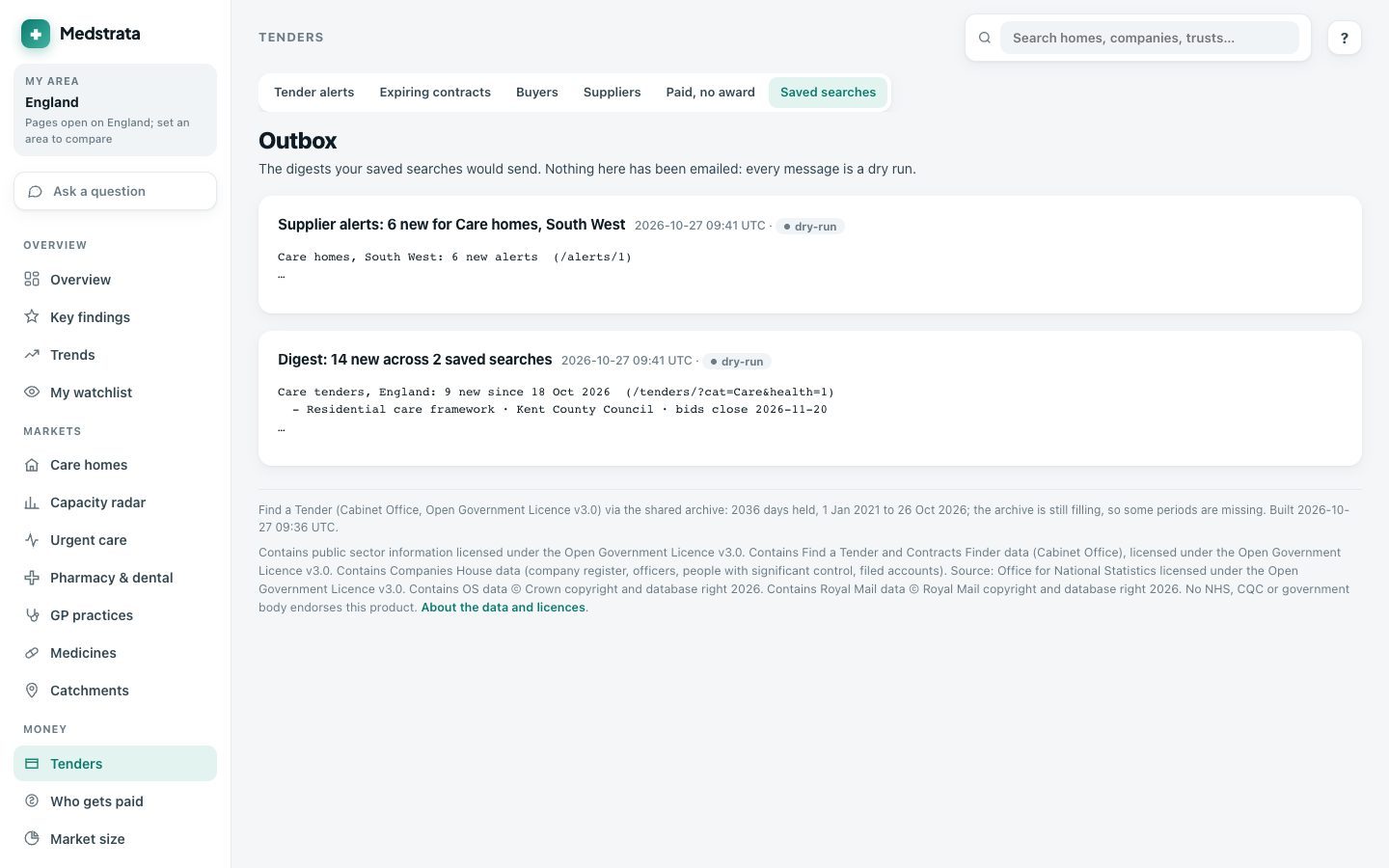
Digests and the outbox: the page as it looks in the app
  1. What would be sentEach digest with its date and subject; open one to read it.
Your account

Downloads and the API

Every table downloads as CSV or Excel, and every page as data, for your own analysis or systems. Open it →
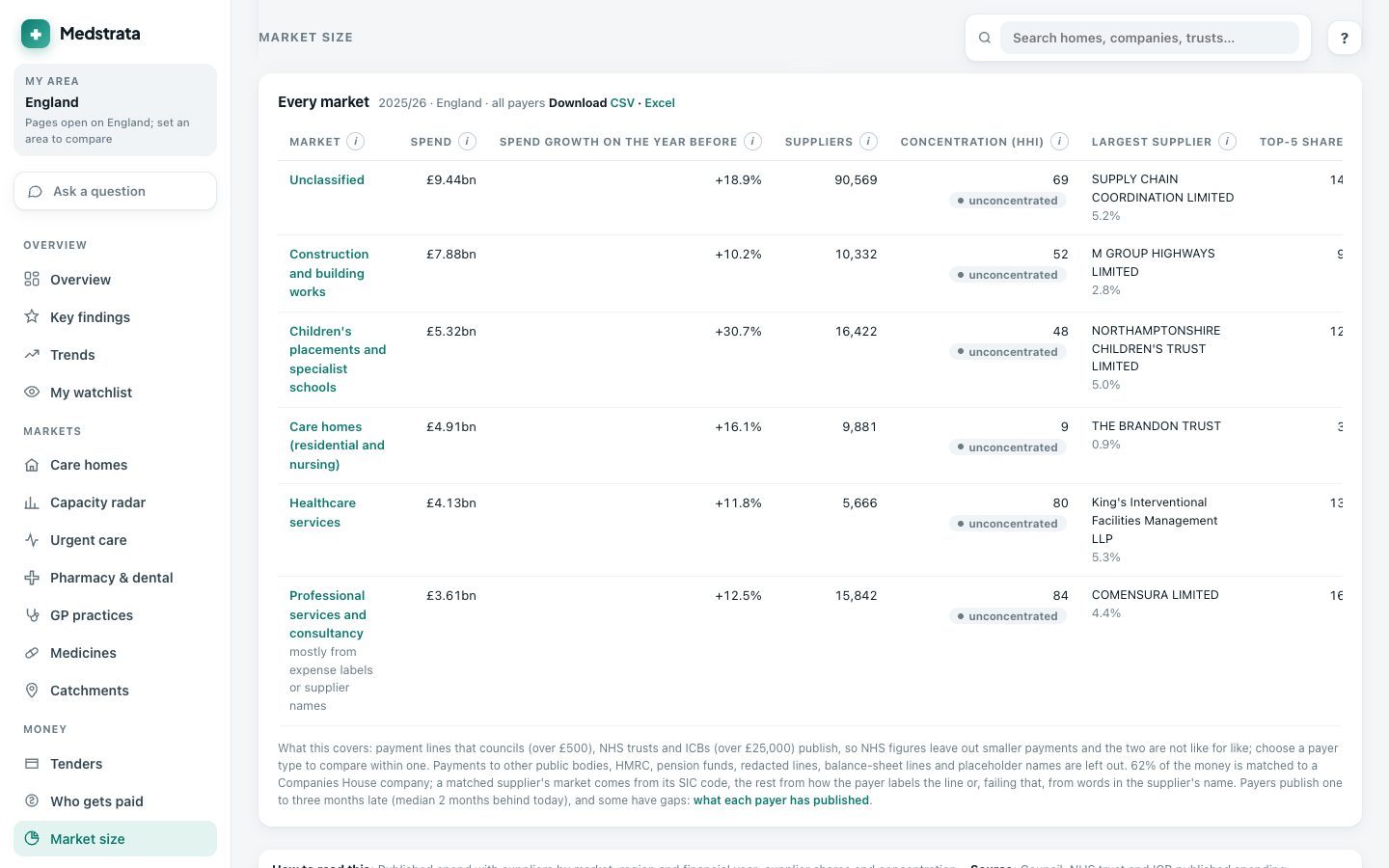
Downloads and the API: the page as it looks in the app
  1. DownloadCSV or Excel beside every table, with the source and date on the last line.
  2. The table it gives youEvery column on the page, and more: the download carries the unrounded figures.
The APIWith a key from us, any page's data is at /api/v1 plus its address, for your own systems; ask through support.
Scheduled feedsA saved page and filters, run daily or weekly, kept as CSV for the API.
Your account

About the data and licences

Every source the app uses, its licence and how we meet it. Pages, downloads and the API carry the attribution lines; no NHS, CQC or government body endorses this product.

NHS England statistics (waiting times, A&E, ambulance, cancer, diagnostics, discharge, Oversight Framework, FFT)Open Government Licence v3.0. Credit NHS England; no NHS logo or endorsement.
NHS England Digital (GP lists, appointments, QOF, payments to general practice, social care finance)Open Government Licence v3.0. Credit NHS England; figures refreshed from the source.
NHS Business Services Authority (prescribing, dispensing, dental, hospital medicines, pharmacy)Open Government Licence v3.0. "NHSBSA Copyright [year]" on prescribing data.
NHS Staff SurveyLicence not confirmed on the survey's own site. Shown to administrators only until confirmed.
ONS Postcode Directory, boundaries and populationOpen Government Licence v3.0, with OS and Royal Mail rights. ONS, OS and Royal Mail credit lines; Northern Ireland (BT) postcodes are not used.
English Indices of Deprivation 2025Open Government Licence v3.0. Credit the publisher.
NHS Organisation Data ServiceOpen Government Licence v3.0. Credit; named GPs and prescribers are not shown.
Care Quality Commission register, ratings and inspection reportsOpen Government Licence v3.0. Acknowledge CQC; no CQC logo or endorsement; people's names in report text are redacted.
Companies House (companies, officers, people with significant control, filed accounts)Companies House terms (no reuse restriction on the register). Figures from accounts, not the filed documents; personal data handled under our privacy notice.
Find a Tender and Contracts FinderOpen Government Licence v3.0. No logos; contact names are not shown.
Council spending over £500Open Government Licence (Local Government Transparency Code). Individuals' and sole traders' names withheld.
NHS trust and ICB spending over £25,000Varies by body: the Open Government Licence, Creative Commons Attribution (credited by name), other terms, or none stated. Where a body has no open licence and has not granted re-use, only totals and supplier summaries are shown: anything made from fewer than 3 payments is grouped as "Smaller payments". Individuals' names are always withheld.
HMRC Overseas Trade Statistics (uktradeinfo)Open Government Licence v3.0. Credit "Source: HMRC, uktradeinfo"; suppressed lines shown as suppressed, not zero.
NHSBSA dm+d (via NHS TRUD)Open Government Licence (via TRUD). Credit "NHSBSA dm+d, Open Government Licence (via TRUD)" with the release.
GLEIF LEI Golden CopyCC0. No attribution needed; nothing says GLEIF endorses this product.
NHS trust and ICB board papersEach publisher's own copyright. Short credited extracts and a link to the publisher; a PDF only where the publisher uses the OGL or has given permission.
HMRC overseas trade statistics (imports by product and country)Open Government Licence v3.0. National figures, not NHS purchases.
US DoL ILAB lists of goods (child and forced labour, EO 13126); US DHS UFLPA Entity List; US CBP Findings (Federal Register)US federal works, public domain (17 USC 105). Country and product level; no US government logo or endorsement.
Natural Earth 1:110m country boundaries (world map)Public domain (naturalearthdata.com terms of use, checked 30 Oct 2026). Disputed areas as Natural Earth draws them by default; no view on any boundary is implied.
The GazetteOpen Government Licence v3.0, except personal data. Corporate insolvency notices only; no personal insolvency notices.
HM Land Registry company ownership (CCOD/OCOD)HM Land Registry licence (not OGL). Administrators only; no addresses; no export.
People's namesThe product contains no named individuals. Organisations are named; people are not: spending to individuals and sole traders is counted but not named, names in inspection reports, board-paper extracts and tender notices are redacted, board members are shown by role, company directors and individual owners as counts and dates, and care providers who are individuals as "An individual provider", and GP practices registered under a doctor's name by their code.
Removal requestsIf you publish something shown here and want it removed or credited differently, tell us through Help and support below.

Still stuck?

The guides above answer almost every question, and every figure in the app has an ⓘ button saying what it means and where it comes from. If yours still isn't answered, you can ask us.

No guide mentions that. Try a shorter word.

Screens show England views of the app as it is. Figures come from public data and change as it updates; each page says its source and date.
Medstrata, a Lodera business, trading name of Perception Investments Ltd